1
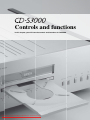
Controls and functions
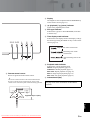
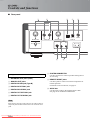
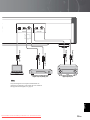
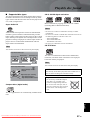
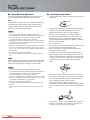
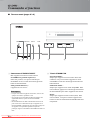
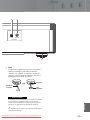
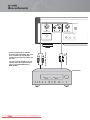
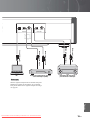
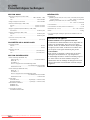
■ Rear panel
1
2
3
USB
BALANCED OUT
ANALOG OUT
BALANCED OUT
SYSTEM CONNECTOR
GND
1
2
5
OPTICAL
COAXIAL
DIGITAL IN
OUT
3
- COLD
AC IN
8
See page 18 for connection information.
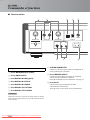
1 BALANCED OUT jacks (male)
2 ANALOG OUT jacks
3 DIGITAL IN USB jack (Type B)
4 DIGITAL IN OPTICAL jack
5 DIGITAL IN COAXIAL jack
6 DIGITAL OUT OPTICAL jack
7 DIGITAL OUT COAXIAL jack
Note
While playing the Super Audio CD layer, the audio signals are
output only from the BALANCED OUT and ANALOG OUT
jacks.
Downloaded
10From
En DvDPlayer-Manual.com Yamaha Manuals
9
OPTIC
DI
REMOTE
IN
+HOT
4
0
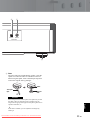
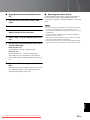
8 SYSTEM CONNECTOR
Use this connector to connect a product testing device
for servicing.
9 REMOTE IN/OUT jacks
Use these jacks to connect an external component for
remote operation.
For details on the connection, see page 21.
0 AC IN inlet
Use this inlet to plug in the supplied power cable.
See page 20 for connection information.