1
Savi WO1 Base
Welcome
11
10
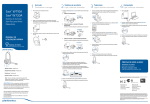
Congratulations on purchasing your new Plantronics product. This Quick Start Guide contains
instructions for setting up the Savi Office WO300/WO350 (WO1™ Base + WH300/WH350™
Headset) Wireless Headset System. Please refer to the separate safety instructions for important
product safety information prior to installation or use of the product.
Telephone
Interface Cable
3-2
System Requirements
The minimum system requirements for Savi Office are as follows:
• Supported Operating Systems: Windows XP, Windows Vista
3-1
5
1
4
Base Power
4
Supply
3
1. Desk Phone Speaking Volume
2. Configuration Switch
3. Desk Phone Listening Volume
4. Subscription Button and Indicator Light
5. Charging Indicator Light
6. Power Jack
7. Handset Lifter Jack
8. Telephone Interface Cable Jack
9. USB Port
10. Desk phone Talk Button and Indicator Light
11. PC Talk Button and Indicator Light
5-2
5-7
5-2
6-6
9
5-2
6-5
8
2
6
7
• Processor: 400 MHz Pentium processor or equivalent (Minimum); 1 GHz Pentium processor or equivalent (Recommended)
• RAM: 96 MB (Minimum); 256 MB (Recommended)
• Hard Disk: 280 MB (Minimum); 500 MB (Recommended)
• Display: 800 x 600, 256 colours (Minimum); 1024 x 768 high colour, 32-bit (Recommended)
• Internet Explorer V6 or better must be on the user’s system (Required)
USB Cable
CD includes:
• PerSono® Suite Software
• Animated Setup Guide
• Complete User Guide
Savi Headset
We highly recommend that you refer to the CD
for Animated Set Up instructions and the complete
User Guide.
Model WH350 (binaural) shown - Model WH300 (monaural) available
1
Safety Instructions
5-6
6-4
Do not use headphones / headsets at high volumes for an extended period of time.
Doing so can cause hearing loss. Always listen at moderate levels. See www.plantronics.com/
healthandsafety for more information on headsets and hearing.
7
2
3
7-1
7-2
1. Headband
2. Indicator Light
3. Listening Volume
4. Call Control Button
5. Mute Button
6. Microphone
7. Charge Cradle
4
5
6