1
MSV350D-FINAL- 033009:Layout 1
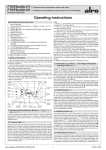
DESCRIPTION
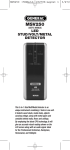
1. Metal/Voltage Sensor Location
2. Marking Hole for Stud Edge
3. LCD Screen
4. Power & Function Selector Switch
5. Scan Switch
6. “SCAN” Symbol (This icon will appear when
calibration is completed)
7. Scanning Indicators (Full scale reading will
display when a target is being detected)
8. Battery Level Indicator
9. Metal Symbol (This icon will appear when
metal detector is being used or when metal
object is detected when auto mode is
selected)
10. Voltage Symbol & Warning Indicator (These
icons will appear when voltage detector is
being used or when voltage is detected
during auto mode)
11. Stud Symbol (This icon will appear when
stud detector is being used or when a stud
edge is detected during the auto mode
selection)
12. Auto Mode (This icon will appear when
performing metal, voltage and stud
detections simultaneously)
13. Stud Sensor Location
14. Battery Cover
OPERATING INSTRUCTIONS
BATTERY INSTALLATION
This unit is operated by one “9V” battery which is
not included.
• Slide open the battery cover on the back of the
instrument
• Attach the battery to the battery connector and
insert it into the battery compartment.
• Slide the battery cover back into place.
2
3/30/09