1
Using a D-Link Cloud Router (Zero Configuration)
If you have a D-Link Cloud Router, you can take advantage of Zero Configuration
Setup. This feature automatically configures your camera’s settings for you and
adds it to your mydlink account automatically. If you do not have a D-Link Cloud
router, refer to the next page to install and configure your camera.
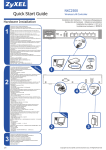
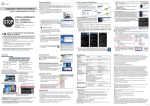
Connect the power cable and Ethernet cable to
your cloud camera.
Connect the other end of the Ethernet cable to your
D-Link Cloud Router and connect the camera’s power
adapter to a power outlet.
From any computer, open a web browser, go
to http://www.mydlink.com and log in to your
account.
Click on the device name when the new device
notification appears to add the camera to your
account.
DCS-5010L
If you wish to connect your camera to your router with a wireless
connection, you can simply disconnect the Ethernet cable and move the
camera to its intended location.
3
ENGLISH
Setting up your Camera