1
Mini Cam • Quick Install Guide
English
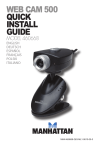
Thank you for purchasing the MANHATTAN® Mini Cam, Model 460668.
This guide presents the basic steps to set up and operate this device. For
specifications and detailed instructions, refer to the user manual available at
www.manhattan-products.com.
System Requirements
• IBM PC-compatible computer or notebook
with USB port
• Pentium 200 or higher CPU
• Windows XP/Vista/7
• 20 MB of HDD space
• CD-ROM drive
• VGA display card for DirectX
Snapshot button
Focus ring
Clip/base
USB cable
Power
LED
Hardware
1. Connect the Mini Cam to a USB
port on your computer.
2. Place the camera in a secure position/
location while you proceed with the
software installation and configuration.
3.Once you’re able to view camera images
on screen, rotate the focus ring as needed.
Software Installation
1. With the Mini Cam connected to your computer through a USB port, insert
the included software CD in the CD-ROM drive. The installation procedure
will run automatically and display a series of screens.
2. Follow the on-screen instructions for the InstallShield Wizard. NOTE: The steps
and screen images for Windows XP vary slightly from those for Windows Vista
and 7. Refer to the user manual as needed.
3. When finished with the InstallShield Wizard, go to Start on your desktop, then
Programs. Select “Webcam/Webcam VideoCap” to display the initial menu
screen.
4.Configure the camera as desired by selecting the numerous options and
features in the File, Device, Option and Capture menus.
2
ENGLISH