1
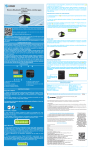
Bluetooth Mode
1. To pair the speaker with a device (phone, ipod, ipad, computer with Bluetooth,
etc.), turn on the speaker, the working LED flashes quickly in blue indicating that
has automatically
enter search mode.
Modo Bluetooth
2. Turn on Bluetooth on your device, make sure it is visible.
BOC-839
Portable bluetooth speaker
Instructions Manual
3. The speaker will appear as “Steren BOC-839”, select it; usually, the connection
is automatic. If your device asks for a password, enter 0000. Once your device is
connected the status LED will flashes slowly in blue.
V0.1
0815m
I M P O R TA N T
4. To link a new device, press
few seconds and repeat step 2 and 3.
Remember,you must unpair previous device.
Every time you turn on and off the speaker, it will keep the link with the last device
you used. If it doesn’t connects automatically, look out for the speaker in the list
of paired devices and connect manually.
The information shown in this manual serves only as reference product.
Because updates can be differences.
Please see our website (www.steren.com) to obtain the latest version instructive.
Before first use load it at 100%.
PLAY MUSIC IN BLUETOOTH MODE
“The operation of this equipment is subject to the following two conditions: (1) it is possible that this
equipment or device may not cause harmful interference, and (2) this equipment or device must accept any
interference, including interference that may cause undesired operation . “
CAUTIONS
• Do not try to open the device, may cause damages and warranty will be void.
HIGHLIGHTS
1. Press
to start playback or pause music.
2. To decrease the volume level, press the
button to return to the previous track.
button; hold 3 seconds the same
3. Press the
button to increase the volume, hold the same button to move
to the next song.
Bring your music everywhere! Listen to your favourite music any place you want
with this portable Bluetooth speaker, use the clip to hang it up in your purse,
backpack or even your belt.
It features hands free function, so you’ll never lose a call anymore. Their internal
battery is charged through a micro USB connector and will give energy up to 4
hours (medium volume level); use the buttons to control the volume level,
play / pause, answer or hang up calls.
If you receive a call when the speaker is playing music, the device will switch
to hands free mode. You must only press the
button to receive it and start
talking. To end the call, press the same button.To reject a call, press and hold for
a few seconds the same button.
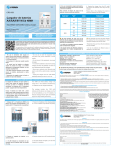
CONTROLS
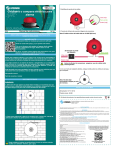
1
8
6
5
2
3
1. Clip
2. On/Off/Play
3 Volume + / forward
4. Volume - / backward
Handsfree use
4
After finishing the call, the system returns to music playback.
7
5. Working LED
6. Micro USB input
7. Charging LED
8. Microphone
INSTRUCTIONS
Battery charge
Before first use, charge the battery for 4 continuous hours.
1. Connect the speaker to a computer via the USB cable or to an outlet with
an adapter (not included).
While charging, the charge LED remains lit in red and turns off when charging
is complete.
* Battery life depends on volume level.
SPECIFICATIONS
Input: 5 V - - - 500 mA (by USB port)
Power output: 3 W rms
Frequency response:
90 Hz – 20 kHz
Sensitivity: 67 dB +/- 2 dB
Internal battery: 3.7 V - - IP31
THD: <1%
Product design and specifications may change without notice.
Product: Portable bluetooth speaker
Part number: BOC-839
Brand: Steren
WARRANTY
This Steren product is warranted under normal usage against defects in
workmanship and materials to the original purchaser for one year from the date of
purchase and three months on its battery.
CONDITIONS
1. This warranty card with all the required information, invoice or purchase ticket,
product box or package, and product, must be presented when warranty service is
required.
2. If the product is in the warranty time, the company will repair it free of charge.
3. The repairing time will not exceed 30 natural days, from the day the claim was
received.
4. Steren sell parts, components, consumables and accessories to customer, as well
as warranty service, at any of the addresses mentioned later.
THIS WARRANTY IS VOID IN THE NEXT CASES:
If the product has been damaged by an accident, acts of God, mishandling, leaky
batteries, failure to follow enclosed instructions, improper repair by unauthorized
personnel, improper safe keeping, among others.
Power on/off
a) The consumer can also claim the warranty service in the purchase establishment.
b) If you lose the warranty card, we can reissue it, if you show the invoice or purchase
ticket.
1. To turn on the speaker, press the power button; the working LED flashes
quickly in blue and you can hear a tone.
2. To turn off the speaker press and hold the power button until the status
LED turns off.
RETAILER INFORMATION
Name of the retailer ____________________________________
Address _____________________________________________
Product ______________________________________________
Brand _______________________________________________
Serial number _________________________________________
Date of delivery _______________________________________