1
deletion and advance to the next event. NOTE: When
deleting an event, be sure to delete both the ON and
OFF settings for that event. NOTE: To clear any
programming entered in error in Steps C or D above,
press the “CLR” button. To recall what was just cleared,
press the “CLR” button a second time.
e. To end Reviewing, Changing & Deleting of Events, wait
about 6 seconds and any changes will be automatically
saved, or press any of the 3 unmarked buttons to
save your settings.
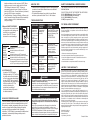
5. Manual ON/OFF OVERRIDE
With the door shut, press it inward
to bypass the current settings and
manually turn your attached
devices ON or OFF. Choose
between four override settings:
Display Reads
OFF/MAN
(manual)
ON/MAN
(manual)
OFF/AUTO
(automatic)
ON/AUTO
(automatic)
5
ON/AUTO
Override Setting
Attached devices are OFF and will
remain off*
Attached devices are ON and will
remain on*
Attached devices are OFF temporarily,
but the next programmed event will resume.
Attached devices are ON temporarily,
but the next programmed event will resume.
* Programmed Events will no longer function
as set. They are being manually overridden.
6. SYSTEM ON/OFF
Locate the “SYSTEM” switch.
Sliding the switch to “OFF” will turn
the entire device off and the timer
will no longer operate the attached
devices. NOTE: The clock and all
program settings will remain stored
while the system is OFF. This
setting is convenient for
permanently overriding all
settings and turning off power to
the attached devices.
6
HELPFUL TIPS
SAFETY INFORMATION & SPECIFICATIONS
• Timer has up to 18 customizable ON/OFF Event Settings to
turn devices on and off at different times and on different
days as programmed.
THIS TIMER IS FOR USE WITH A 120 V AC POWER SOURCE.
120 V AC / 60 Hz
• To automatically advance through the Hour and Minute
selections, press and hold the “Hour” or “Min” buttons.
TROUBLESHOOTING
PROBLEM POSSIBLE
CAUSE
CORRECTIVE
ACTION
Programmed
Timer turns
event(s) are
ON/OFF at
incorrect times incorrect.
or skips some
of the
programmed
times.
Press ON/OFF to review
the settings and revise
them as necessary. See
OPERATING
INSTRUCTIONS.
The attached The timer is wired
incorrectly.
device turns
off immediately
after being
turned on.
Disconnect wires,
remove timer, re-install
per the instruction
manual. If problem
persists, contact
certified electrician.
LCD screen is
blank.
LCD screen is
on but
attached
device is off.
The included
rechargeable
battery has lost its
charge.
Battery will
automatically recharge
after installation.
The light or
attached device
itself may be
switched OFF.
Make sure the light or
attached device is
switched ON and
plugged in.
Reset
Hour
Prog
Min
SYSTEM
OFF ON
IN CASE OF POWER FAILURE
Timer will continue to operate on battery backup if the power
goes out; however it will not turn attached devices on or off.
Once power is restored, programming will resume. If power
remains out longer than the battery backup will operate,
re-program the timer as explained in the “Operating
Instructions”. NOTE: Battery is permanently installed and not
replaceable. It automatically recharges when power is
provided to the timer.
FCC REGULATORY STATEMENT
WARNING: Changes or modifications to this unit not expressly approved by
the party responsible for compliance could void the user authority to
operate the equipment.
Notes: This equipment has been tested and found to comply with the limits
for a Class B digital device, pursuant to Part 15 of the FCC Rules. These
limits are designed to provide reasonable protection against harmful
interference in a residential installation. This device complies with Part 15 of
the FCC Rules. Operation is subject to the following two conditions: (1) This
device may not cause harmful interference, and (2) this device must accept
any interference received, including interference that may cause undesired
operation. If this equipment does cause harmful interference to radio or
television reception, which can be determined by turning the equipment off
and on, the user is encouraged to try to correct the interference by one or
more of the following measures:
1. Reorient or relocate the receiving antenna.
2. Increase the separation between the equipment and receiver.
3. Connect the equipment into an outlet on a circuit different from that to
which the receiver is connected.
4. Consult the dealer or an experienced radio/TV technician for help.
CLR
Day
DO NOT ATTACH A DEVICE THAT EXCEEDS THE UNIT RATINGS:
15 A / 1,800 W Resistive (General Purpose)
10 A / 1,200 W Tungsten (Incandescent)
10 A / 1,200 W Ballast (Fluorescent)
1/2 HP (Horsepower Motor)
WARNING
To avoid fire, shock, or death, turn off power at circuit
breaker or fuse box before wiring.
Installation by a licensed electrician to local, state and national
codes is recommended. For INDOOR use only. Do not use to
control appliances. Do not attempt to disassemble this timer.
Do not exceed electrical ratings.
AVERTISSEMENT
Afin d’éviter les risques d’incendie, de choc électrique
ou de décès, coupez l’alimentation électrique depuis le
panneau de disjoncteurs ou de fusibles avant d’effectuer
le câblage.
Nous vous recommandons de faire appel à un électricien
agréé afin qu’il procède à une installation conforme aux
codes municipaux, provinciaux et nationaux. Pour un usage à
l’INTÉRIEUR seulement. N’utilisez pas cet article pour
commander des électroménagers. Ne tentez pas de démonter
cette minuterie. Ne dépassez pas les capacités électriques.
LIMITED 1 YEAR WARRANTY
Prime warrants this product to be free from manufacturing defects for a
period of one year from the original date of purchase (“warranty period”).
This warranty is limited to the repair or replacement of this product only and
Prime is not liable for any consequential or incidental damage to other
products that may be used with this unit. This warranty is effective only if
such unit is returned to Prime not later than thirty (30) days after the
expiration of the warranty period. Warranty is void if damage is due to
neglect, misuse, alteration, modification, improper installation, or repair by
other than Prime. This warranty is in lieu of all other warranties express or
implied. Some states do not allow limitations on how long an implied warranty
lasts or permit the exclusion or limitation of incidental or consequential
damages, so the above limitations may not apply to you.
It is our experience that a product that fails prematurely due to a
manufacturing defect in materials or workmanship, will generally do so very
early in the product’s life cycle, often the first or second time the product is
used. Products that are returned for warranty inspection after months or
years of continuous reliable service are usually the result of normal wear and
tear, which is not considered a defect in materials or workmanship and
therefore is not covered by the warranty.
This warranty gives you specific rights, and you may also have other rights
which vary from state to state. If unit should prove defective within the
warranty period, return within the time period set forth above prepaid with the
original purchase receipt to:
Prime Wire & Cable, Inc.
ATTN: Timer Warranty
280 Machlin Court
City of Industry, CA 91789
Printed in China