1
V0.0
208-150
R
INSTRUCTIONS
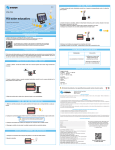
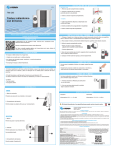
• Connect a HDMI cable to video source.
• Connect the HDMI cable’s other end to
converter.
HDMI to composite and
VGA converter
• Connect the cables according to
video output you choose (VGA or
component).
• Insert cable´s other end to TV,
projector or monitor.
• Select audio output (RCA or
optical)
power
VGA/YPbPr
• Connect audio cables to converter and audio
playback device.
0613a
Instruction Manual
• Insert power cord to converter.
•Select video output using front panel’s switch.
VGA/YPbPr
Before using your new Steren´s product, please read this instruction manual to prevent
any damage.
I M P O R TA N T
• Plug converter’s power adapter to an outlet.
The instructions of this manual are for reference about the product.
• The power indicator LED must turn on.
There may be differences due to updates.
• Turn on video source and monitor, TV
or projector
Please check our web site (www.steren.com) to obtain the latest version of the
instruction manual.
CONNECTIONS
CAUTION
• Clean only with a soft, dry cloth.
• Do not try to open the equipment, may cause malfunction and warranty will be void.
HIGHLIGHTS
The AV converter allows you to convert the HDMI signal to composite or VGA signal, with stereo
audio (through RCA) or digital audio (optical fiber).
Perfect to connect your high definition devices to any monitor, screen or projector without HDMI input
connectors. It includes gold plated HDMI input, composite video output and audio output.
The VGA connector is nickel plated with nuts to fix the cable. Manufactured in black color case.
• 480i/576i/480p/576p/720p/1080i PrPbY resolution
• 480i/576i/480p/576p/720p/1080i VGA resolution
• 2 analogue audio channels
• optical audio output
• Female HDMI input (19 pin)
PrPby, VGA, R/L, optical outputs
Package content:
One voltage converter
One HDMI converter
TROUBLESHOOTING
PROBLEM
SOLUTION
The converter doesn’t turn on
-Check that power adapter is connected
to converter and to power outlet .
-Check the outlet.
Video doesn´t show
-Check connections between video
source, converter and monitor, projector
or screen.
-Select video output using front panel’s
switch.
-If your TV or projector has an input
selector, make sure that the right one is
selected.
Audio doesn’t playbacks
-Check connections between video
source, converter and audio playback
device.
-Adjust audio device’s volume.
-Select audio input correctly.
CONTROLS
S P E C I F I C AT I O N S
FRONT PANEL
Input: 5 V - - - 1000 mA
power
1
1. Power LED indicator
2. Video output switch (VGA or component)
Power converter:
Input: 100-240 V~ 50/60 Hz 0.5 A
Output: 5 V - - - 1000 mA
VGA/YPbPr
2
Product design and specifications are subject to change without notice.
Product: HDMI to component and VGA converter
Part number: 208-150
Brand: Steren
REAR PANEL
WARRANTY
This Steren product is warranted under normal usage against defects in workmanship and materials to the original purchaser for one year from
the date of purchase.
Output
Input
DC5V
HDMI
3
4
Pr
Pb
5
3. Power input
4. Video input (HDMI)
5. Component video output (PrPbY)
6. Video output (VGA)
7. Audio output (RCA)
8. Audio output (optical)
Y
VGA
L/R
6
7
SPDIF
8
CONDITIONS
1. This warranty card with all the required information, invoice or purchase ticket, product box or package, and product, must be presented when
warranty service is required.
2. If the product is in the warranty time, the company will repair it free of charge.
3. The repairing time will not exceed 30 natural days, from the day the claim was received.
4. Steren sell parts, components, consumables and accessories to customer, as well as warranty service, at any of the addresses mentioned later.
THIS WARRANTY IS VOID IN THE NEXT CASES:
If the product has been damaged by an accident, acts of God, mishandling, leaky batteries, failure to follow enclosed instructions, improper repair by
unauthorized personnel, improper safe keeping, among others.
a) The consumer can also claim the warranty service in the purchase establishment.
b) If you lose the warranty card, we can reissue it, if you show the invoice or purchase ticket.
RETAILER INFORMATION
Name of the retailer ____________________________________ Address _____________________________________________
Product ______________________________________________ Brand _______________________________________________
Serial number _________________________________________ Date of delivery _______________________________________
In case your product fails or have questions, please contact your nearest dealer. If you are in Mexico, please call to our Call Center.
01 800 500 9000