1
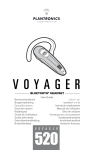
PACKAGE CONTENTS & FEATURES
Indicator light
Adjustable ear
loop
Call control
button
Ear tip
Microphone
Charging jack
AC power adapter
Volume control
CHARGING & POWERING
1
2
CHARGING
POWERING
Before using, you must first charge your
headset.
20 minutes = minimum charge
2 hours = full charge
Light is solid red when battery is charging.
Press the control
button for 2
seconds to power
on. Press the
control button
for 3 seconds to
power off.
NOTE For the best user experience, keep
your headset fully charged.
CAUTION Do not use headset while
charging and do not connect the charger
while the headset is in use.