1
EN
User Guide
7500, Monday to Friday 9AM-6PM Pacific time, or email support@spracht.com.
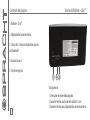
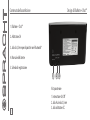
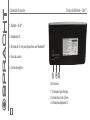
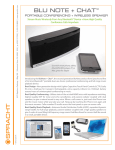
• Turn the switch at the back of the BluNote + Chat™ to On.
• Power on your Bluetooth® enabled mobile phone or other device.
• Activate Bluetooth® on your device and search for Bluetooth® devices (if in doubt please refer to your device's user manual for details on
activating Bluetooth®).
• Follow your device’s instruction guide to connect to a Bluetooth® device. Typically, you will click on a Bluetooth® icon and click “Discover device.”
• Your A2DP Bluetooth® device should give you an option to choose to pair your BluNote + Chat™ as a "Headset" or a "Speaker". The preferred
pairing option is "Speaker". If you do not see a "Speaker" option, please check with your device's manufacturer for compatibility.
• Your mobile phone should find the BluNote + Chat™ which is displayed as “BluNote + Chat”.
• Click on “BluNote + Chat” and click “OK” if your phone prompts you to confirm.
• If your device then prompts you to enter a PIN or password, enter: 0000
• If the pairing is successful, your device will indicate a successful pair and "Pair On" will scroll through the LED display for 5 seconds.
• Depending on the software concerned, your device may then CONNECT automatically to the BluNote + Chat™. You will then see the message
CONNECTED on your device's display. In this case you will be able to stream music, and if you're connected to a phone, make and receive calls
immediately. If you do not become connected automatically, you should return to your phone’s Bluetooth® menu, select “Blunote + Chat” from
the list of paired devices and select CONNECT. You will then be connected and ready to make and receive calls.
7