1
 CAUTION
To protect yourself, think “Safety First”:
•Comply with local and national safety codes.
•Use appropriate personal protective equipment such as face shields,
insulating gloves, insulating boots, and/or insulating mats.
•Before each use:
- Perform a continuity test by touching the test leads together to
verify the functionality of the battery and test leads.
- Use the 3 Point Safety Method. (1) Verify meter operation by
measuring a known voltage. (2) Apply meter to circuit under test. (3) Return to the known live voltage again to ensure proper
operation.
•Always work with a partner.
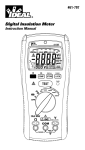
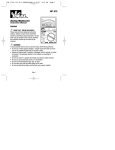
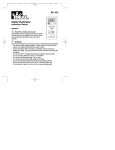
Feature Callouts
1. LCD Display - 4000 count
2. Push-Buttons for features
3. Function Selector to turn the Power On or Off and to select
a function.
4. Input Terminal for Ω function.
5. Input Terminal for V insulation functions.
6. Common (Ground reference) input Terminal for all
functions.
Symbols on the Unit
Risk of Danger. Important Information. See Manual.
Hazardous voltage. Risk of electrical shock.
Instrument - Description
~
2. Features
Pass indicator
High Voltage
indicator
...
1. Display
Application around and removal from Hazardous Live conductors is permitted.
AC (Alternating Current)
DC (Direct Current)
Earth Ground
Measurement Category II applies to test and measuring circuits connected
CAT II directly to utilization points (socket outlets and similar points) of the lowvoltage installation
Measurement Category III applies to measuring circuits connected to the
CAT III
distribution part of the building’s low-voltage installation
Measurement Category IV applies to test and measuring circuits connected at
CAT IV
the source of the building’s low-voltage installation
Test Leads
Guard ring
3. Function Selector
& Power On/Off
4. Ω Input
5. V Insulation Input
6. Common Input
3
4