1
BASIC
USER MANUAL
0.
IRIS BLUE
STARTUP
NOTE
1) Inspection:
2) Installation
and wiring:
This manual covers basic installations of IRIS BLUE drives.
Detailed information on how to install and program the IRIS BLUE drives is
given in the product literature available for download from santerno.com.
This manual refers to the following user manuals:
15P1102B100 IRIS BLUE – Installation Guide
15P1102B100 IRIS BLUE – Programming Guide
15W0102B300 IRIS BLUE – Safe Torque Off Function – Application Manual
NOTE
IRIS BLUE drives are factory set with the IFD control algorithm (V/f) allowing
performing the first startup of the equipment. The default functions are given in this
section, particularly in step 5) Start up.
NOTE
IRIS BLUE drives feature the Safe Torque Off function (called STO throughout this
manual) certified as per standard EN 61800-5-2. For the correct application of this
function and the drive integration into the safety chain of the system, please refer to
the application notes given in the Safe Torque Off Function – Application Manual.
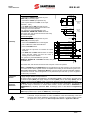
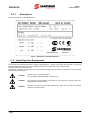
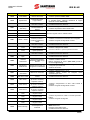
Check if the size of the IRIS BLUE drive is greater than or equal to the size of the connected motor
according to the drive nameplate. See the Delivery Check section.
The IP rating of the IRIS BLUE drive is given in the Installing the Equipment section. Ensure that
sufficient ventilation is provided to the drive. More details are given in the standard IRIS BLUE’s
Installation Guide.
If the STO function integrated into the drive is to be used, follow the instructions given in the Safe
Torque Off Function – Application Manual.
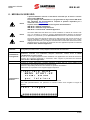
3) Power on:
Power on the drive; check if the keypad turns on.
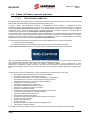
For easier startup of the IRIS BLUE drive, you can activate the Start-Up Menu. The Start-Up Menu is
a wizard allowing programming the main parameters for the connected motor.
This menu is available by pressing the START-UP button from the keypad.
4) Parameter
setting:
[ I DP ]
S TAR
P r e
t o
I
T
s
s
R I S BLUE
- UP M E N U
s ENTER
t a r t
Press Enter to enter the wizard.
Before entering the control parameters, you are asked to choose a dialogue language:
P 2 6 3
L a n g u a g e
→@@@@@@@@@@@@@@@
3/69