1
English
Features
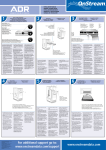
Location and Function of Controls
• E-IDE interface
Front Panel
• 52X-speed Max 7800KB/sec data transfer rate
1. Disc Tray
• Motorized tray loading system
2. Drive activity indicator
• Designed for internal mounting
3. Emergency Eject Hole
• Emergency eject support
4. Stop/Eject Button
A
• Supports Windows 95, 98, 2000, ME & XP Plugand-Play ATAPI protocol
Rear Panel
1. Digital Audio Output Connector
System Requirements*
2. Analog Audio Output Connector
3. Jumper Connector
• IBM PC AT or compatible, Pentium-233MHz
processor or higher (higher recommended).
• 640 Kb memory
(16Mb or higher recommended).
• A suitable free standard 5 1/4" internal drive bay.
• MS-DOS version 3.1 or higher.
(Windows 95 and above recommended).
This jumper determines whether the drive is
configured as a master or slave. Changing the
master-slave configuration takes effect after
power-on reset.
4. IDE Interface Connector
Connect to the IDE (Integrated Device Electronics)
Interface using a 40-pin flat IDE cable.
• 3.5" 1.44 Mb Floppy Drive.
• An existing IDE controller with an available cable
connector or a new IDE controller (recommended
with IDE PIO Mode 4 capability) that you will need
to install.
NOTE : Do not connect or disconnect the cable
when the power is on, as this could cause a short
circuit and damage the system. Always turn the
power OFF when connecting or disconnecting the
cable.
* Please note: certain software (i.e. particularly
those including Video playback) may require an
considerably increased specification PC to give
acceptable results.
5. Power Connector
Supplied Accessories
z Owner’s Manual
z Audio Cable