1
D
GB
F
I
I
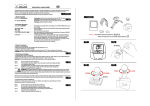
Set navigator back to zero:
Select NAVIGATOR/FORWARD or
NAVIGATOR/BACKWARD using
. Confirm with M .
NAVIGATOR SET DISTANCE/
CONTINUE. The flashing digit
is ready to be set. Using
set the digits. Access next digit
with M . Repeat steps until last
digit is flashing. Confirm with M .
Using
go to NAVIGATOR/
SELECT. Confirm with M .
NAVIGATOR/SET
Using
switch to
NAVIGATOR/RESET.
Confirm with M .
NAVIGATOR/SET OK? Confirm with M .
NAVIGATOR/SET DONE appears as confirmation
and your VDO computer automatically returns to
the NAVIGATOR/SELECT menu.
Note: The navigator always runs automatically
at the same time, even if you have not set it.
40 X2DW
Security question: NAVIGATOR/RESET?
Confirm with M .
Your VDO computer is equipped with a two-fold
sleep mode function.
In sleep mode, a large part of the display is switched
off to save battery power. Time, service interval
display and the -symbol (if the stopwatch is
running) continue to be displayed.
Sleep mode 1 switches itself on after 5 minutes if
no speed impulses are processed and no button
is pressed.
Sleep mode 1 is ended when speed impulses
are processed again (when cycling) or a button
is pressed.
NAVIGATOR/SET DONE appears briefly and your
VDO computer automatically returns to the NAVIGATOR/SELECT start menu.
VDO CYCLECOMPUTING
F
GB
D
5.8 Sleep mode
In Sleep-Modus 2 the wireless receiver is also
switched off. (after 15 min).
The display shows SLEEP
MODE/PRESS BUTTON
Before continuing to ride,
you must press a button to
switch the receiver back on.
The display for the speed and
the cadence flashes.
The computer now waits for speed and cadence
signals (as long as cadence is installed). Simply set
off riding now. The computer acquires the digital
encodings from the transmitter.
www.vdocyclecomputing.com X2DW
41