1
• DIP Switch 2
SW
Function
2-1
Auto Line Feed
2-2
2-3
2-4
2-5
2-6
2-7
2-8
ON
Enable
OFF
Disable
Default
OFF
OFF
OFF
OFF
OFF
OFF
OFF
OFF
Undefined
• Table 1 – Emulation Selection
Emulation
BXL/POS
STAR
CITIZEN
BXL/POS-KP
1-1
OFF
OFF
ON
ON
1-2
OFF
ON
OFF
ON
• Table 2 – Baud rate (bps) Selection
Transmission Speed
2400
4800
9600
19200
2-7
ON
OFF
OFF
ON
2-8
ON
ON
OFF
OFF
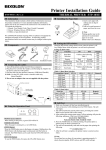
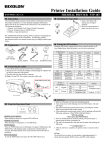
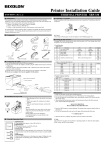
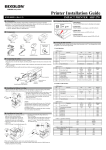
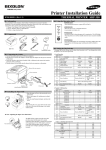
◈ Serial (RS-232C) Fixed Interface Model Windows Driver
Installation: SRP-500C,CG (IFC-S TYPE)
1. After running the product installation CD, run the Inkjet Printer > SRP-500 > Drivers >
Windows Driver > Drivers Folder > Win SRP-500_Vx.x.x.exe file.
2. In the opening installation window, click on Next.
3. In the Ready to Install the Program window, click on Install.
4. In the OS Type Dialog window, click on Next.
5. In the Dialog window, select one Serial Port and click Next.
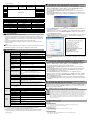
(Figure 1.)
6. In the SRP500_Installer window, select Yes and the computer will reboot.
7. After rebooting, open Start > Settings > Printers & Fax > BIXOLON SRP-500 Icon >
Right-Click > Properties.
8. In the Properties window, select the Port tab and click on the Port Settings. Check to see
that the information is identical to the self-test results after installation.
SRP-500 VER. V01.01 STB 111008
===============================
Emulation (DIP1-1,2): BXL/POS
AutoCut (DIP1-3): Enabled
EmphasizedMode (DIP1-5): Off
Logo Print (DIP1-6): Off
Near_end (DIP1-7): Enabled
Rx Error Print (DIP2-1): Ignore
HandShake Mode (DIP2-3): Xon/Xoff
Word Length (DIP2-4): 8
Parity (DIP2-5): None
Baud Rate (DIP2-7,8): 19200
◈ Self-Test
1. Turn the printer off and close the rear cover.
2. While holding down the FEED button, turn on the printer and continue to hold
until the paper begins to feed. The self-test begins to print the printer settings
and cuts the paper and pauses. (Power indicator lamp blinks.)
3. Press the FEED button to print the rolling ASCII pattern.
4. When the rolling ASCII pattern is printed, the self-test mode automatically
ends.
※ Note
The self-test lets you know if your printer is operating properly. It checks the
print quality, ROM version, and DIP switch settings.
◈ Specifications
Item
Printing Method
Resolution
Printing Direction
Characters per line
Printing Speed *1)
Printing Width
Line Interval
Character Set
Font
SMPS
Power Voltage
Printer
Power
Consumption
Paper
Ink
Cartridge
Details
Serial Inkjet matrix
104 x 96 (dpi): Text
208 x 96 (dpi): Graphics
Bi-directional (logic seeking) with friction speed
Max 42 (Characters)
6.5 lines/sec
61.5mm
4.233mm (1/6”)
Alphanumeric Character: 95
International Character: 32
Extended Graphic: 128 x 12 page
14 x 12 / 12 x 12
9. In the Properties window, after selecting the General tab, click on Print Test Page to
confirm that printing is normal.
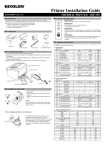
◈ Parallel (IEEE1284) Fixed Interface Model Windows Driver
Installation: SRP-500CP,CPG (IFC-P TYPE)
1. After running the product installation CD, run the Inkjet Printer > SRP-500 > Drivers >
Windows Driver > Drivers Folder > Win SRP-500_Vx.x.x.exe file.
2. In the opening installation window, click on Next.
3. In the Ready to Install the Program window, click on Install.
4. In the OS Type Dialog window, click on Next.
5. In the Dialog window, select one Parallel Port and click Next. (Refer to Figure 1.)
6. In the Question window, select Yes and the computer will reboot.
7. After rebooting, open Start > Settings > Printers & Fax > BIXOLON SRP-500 Icon >
Right-Click > Properties.
8. In the Properties window, after selecting the General tab, click on Print Test Page to
confirm that printing is normal.
24VDC
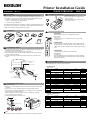
◈ USB Fixed Interface Model Windows Driver Installation:
SRP-500CU,CUG (IFC-U TYPE)
Operation Mean: Approximately 0.5A
Peak: Approximately1.5A
Standby Mean: Approximately 0.3A
(at 24V, except for drawer kick-out driving)
For detailed information regarding USB Windows driver installation, refer to the USB
Windows driver installation manual or consult with the dealer or retailer from which the
product was purchased.
*Caution: Maximum of 1A when operating drawer kick-out
Mechanism: 18,000,000 Lines
Life *2)
Auto Cutter: 1,500,000 Cuts
MTBF *2)
30,000 hours
Operating: 0℃ ~ 45℃
Temperature
Storage: -20℃ ~ 60℃
Operating: 10 to 80% RH (Non-condensing)
Humidity
Storage: 10 to 90% RH (Non-condensing)
Shipping: 5 to 90% RH (Non-condensing)
*Caution: Exposure to high or low temperatures for periods of greater than
48 hours will lead to significantly reduced cartridge life.
Paper Type
Paper Roll
Paper Width
76 ± 0.5(mm)
Paper Thickness
0.06~0.085(mm)
Roll Diameter
Max ø 83mm
Paper Tube (Outer)
Max ø 19mm (0.75”)
Model
RIC-500B,R (HP 6602a,r)
Lighting
3.0KHz – Low-density output(Text)
Frequency
1.5KHz – High-density output(Graphics)
Operating Voltage
19.9 ± 0.5V
Resistance
60 Ω
Operating Temp.
10~40 °C
Two years after production (Operating at normal temperature)
Date of expiration
*Caution: When disposing of spent ink cartridges, abide by the corresponding l
aws and regulations of the relevant country or region..
※ Note
*1) Printing speed may be slower depending on the data transmission speed and the
combination of control commands.
*2) The above values are calculated under printing level 2 with recommended paper at
normal temperature.
The values may vary with environment temperature, printing level, etc.
◈ WEEE (Waste Electrical and Electric Equipment)
This marking shown on the product or its literature, indicates that is should not be
disposed with other household wastes at the end of its working life, To prevent
possible harm to the environment or human health from uncontrolled waste disposal,
please separate this from other types of wastes and recycle it responsibly to promote
the sustainable reuse of material resources. Household users should contact either the
retailer where they purchased this product, or their local government office, for details
of where and how they can take this item for environmentally safe recycling. Business
users should contact their supplier and check the terms and conditions of the purchase
contract. This product should not be mixed with other commercial wastes for disposal.
☎ BIXOLON Co., Ltd.
● Website
http://www.bixolon.com
● Korea Headquarters
(Add) 7th~8th FL, Miraeasset Venture Tower, 685, Sampyeong-dong, Bundang-gu,
Seongnam-si, Gyeonggi-do, 463-400, Korea
(Tel.) +82-31-218-5500
● U.S. Office
(Add) BIXOLON America Inc., 3171 Fujita St, Torrance, CA 90505
(Tel.) +1-858 764 4580
● Europe Office
(Add) BIXOLON Europe GmbH, Tiefenbroicher Weg 35 40472 Düsseldorf
(Tel.) +49 (0)211 68 78 54 0