1
ENGLISH
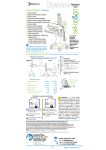
Dell Mobile Computing Station 2.0
3
Interior Features
2
1
4
5
6
Upper Compartment
Lower Compartment
1 Cooling Fans
4 Controller Box houses
CAUTION: Do not block fans and vent openings. To prevent
overheating, leave at least 5-inch (127 mm) clearance around fans
and vents.
2 Netbook Storage
• Storage and simultaneous charging for 24 Latitude™ 2100 or
2110 Netbooks.
• The charge status of individual Netbooks is visible when
the compartment is open.
3 Intuitive Docking
• The dock profile matches the Netbook to prevent the user from
inserting the Netbook the wrong way.
• Dock and un-dock using just one hand.
• A tab at the front of each dock ensures seating of the power
and network connectors with the Netbooks.
• A green bar indicates Netbook is seated properly for charging.
• Exclusive design accepts both standard and touch-screen
Latitude 2100 or 2110 Netbooks, in 3-cell or 6-cell battery
configurations.
• Circuit breakers.
• 24 outlets are factory connected to Netbook AC adapters.
• 3 internal accessory outlets factory connected to:
– 25th AC adapter
– optional Wireless Access Point (WAP)
– optional Dell PowerConnect 3524 Ethernet Switch.
• The open (4th) internal outlet must not be used.
CAUTION: Do not connect equipment to open outlet(s).
5 AC Adapters
• 24 adapters factory connected to docks in upper compartment
• 25th adapter provides power distribution to Controller Box.
CAUTION: Use only 90 Watt 3 Prong AC Adapters in MCS.
6 Optional Ethernet Switch
• 24, factory connected,10/100 mbps ports, 2 1000 mpbs ports.
• Allows remote network updates to the docked MCS Netbooks.
CAUTION: The Dell Mobile Computing Station 2.0 is
electrically operated equipment. To avoid risk of electric
shock or fire, it must be used with adult supervision.
2 / 32
888-24-116-W-00 rev.C • 08/10