1
2011 WEDDING CUSTOMER SERVICE MANUAL
CALL PARK
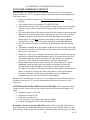
Call Park allows you to put a call on hold, and pick it up from any other IP phone.
To park a call:
• Press the more softkey.
• Press the Park softkey.
• A Call Park number will be automatically generated and displayed at the bottom of the
phone screen.
• Write this “Call Park” number down. This number will be in the range of “7290”
through “7299”.
• Page the person to pick up the call on the number you just wrote down (7290 – 7299).
To retrieve a parked call (on an IP Phone):
• Lift the handset or press the speaker button.
• Type in the Call Park number (7290 – 7299).
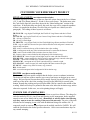
DIRECTORY FEATURES
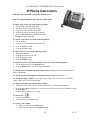
Press the directories button to display the Directory menu, to access to the following features:
1 Missed Calls. For internal calls, the list displays the directory number
and the user name of the phone from where the call was made. For
external calls, the list displays the caller’s phone number, unless
blocked by the caller.
2 Received Calls. For internal calls, the list displays the directory number
and the user name of the phone from where the call was made. For
external calls, the list displays the caller’s phone number, unless
blocked by the caller.
3 Placed Calls. This is a list of numbers recently dialed from the phone.
4 Corporate Directory. This feature allows you to search the phone
directory by user name, or by extension.
To select an option from the Directory menu, choose one of the following options:
• Use the up/down arrow to highlight an option from directory menu, and then press the Select
softkey for the desired option.
• Press the menu number of the desired option.
To view your missed calls, received calls, and placed calls:
• Use the up/down arrow to highlight an option from directory menu or press the corresponding
direction option number
• Press the Select softkey for the desired option.
• Use the large arrow scroll keys in the middle of the phone base to scroll through the list of
calls.
• When you are finished, press the Exit softkey to exit the Directory menu.
To call a number from the missed calls, received calls, and placed calls lists:
• Use the up/down arrow to highlight an option from directory menu or press the corresponding
direction option number
• Press the Select softkey for the desired option.
• Use the up/down arrow to highlight the call you wish return.
• Press the Dial softkey to dial the number listed.
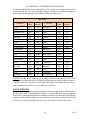
To use the Corporate Directory: Use the up/down arrow to highlight an option in which you
would like to perform the search, either first name, last name, or extension number.
16
8-5-11