1
Chapter 2
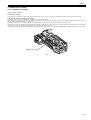
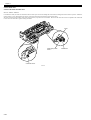
2.3.2.2 Ink Tank Unit
2.3.2.2.1 Structure of Ink Tank Unit
0013-4300
iPF6100 / iPF6200
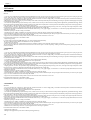
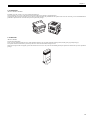
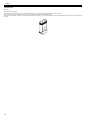
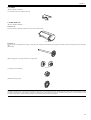
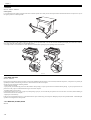
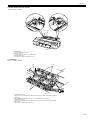
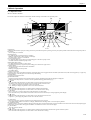
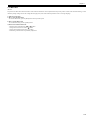
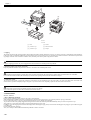
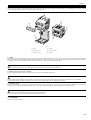
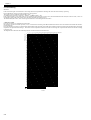
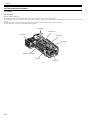
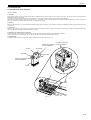
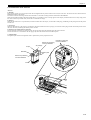
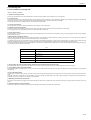
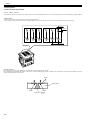
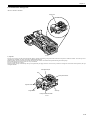
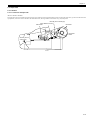
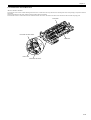
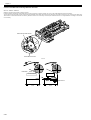
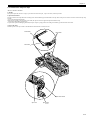
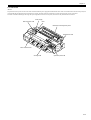
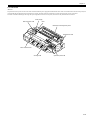
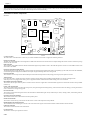
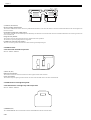
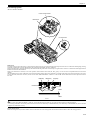
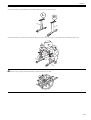
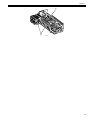
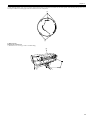
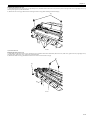
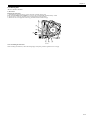
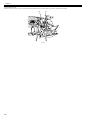
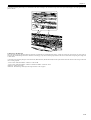
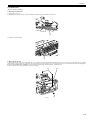
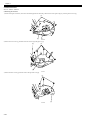
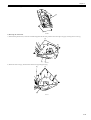
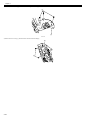
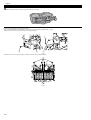
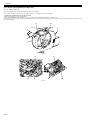
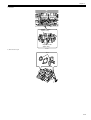
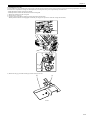
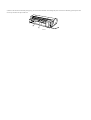
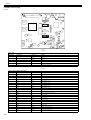
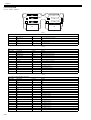
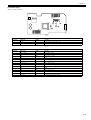
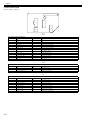
a) Ink tank
Each ink tank contains 130 ml of ink (the starter ink tank supplied with the printer contains 90 ml of ink) for each color. The amount of ink is memorized in the
EEPROM mounted to the ink tank.
The amount of the ink remaining in the ink tank is detected as a dot count according to the data memorized in the EEPROM.
When the electrodes mounted to the hollow needle detect a con-conductive state, a message appears on the display to indicate that the ink is nearly empty. If the
dot count reaches the prescribed value, the ink tank is considered to be empty.
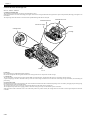
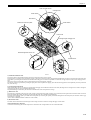
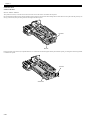
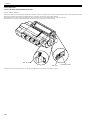
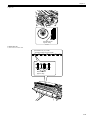
b) Ink port
When the ink tank lock lever is pressed down, the hollow needle enters the ink port (covered with a rubber plug), establishing an ink passage between the printer
and ink tank.
c) Air passage
When the ink tank lever of the printer is pressed down, the hollow needle enters the air passage (covered with a rubber plug) and thus the internal pressure of the
ink tank is released, maintaining the internal pressure constant.
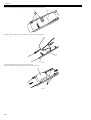
d) Notches for preventing incorrect insertion
The ink tanks have notches for preventing insertion. Wrong ink tanks cannot be installed in place due to these notches.
The ink tank lock lever can lowered to start ink supply only when the ink tank has been installed in place.
e) Agitation plate
The agitation plate assists the ink agitation which is performed to prevent precipitation of ink.
Notches for preventing
incorrect installation
Ink port
EEPROM
Notches for preventing
incorrect installation
Air passage
Agitation plate
Notches for preventing
incorrect installation
Ink tank
F-2-14
2-23