1
A
28
o
o
IO – APIS(ENG)
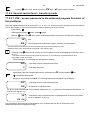
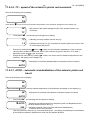
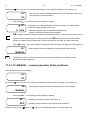
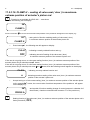
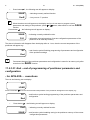
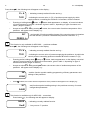
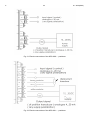
Pressing and/or holding down ∆ button or ∇ button you should lead to appearance of the
numerical value of time constant of integrating action of the controller on the display, as given in
point 10.3 table 1, depending on the type of actuator and stroke.
button; the current value of ambient temperature of the
accept set value Ti by pressing
positioner will appear on the display e.g.:
26º
- and symbol of the time constant, in [s], of differential action of the PID
controller
Td
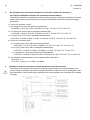
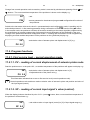
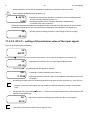
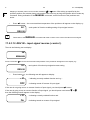
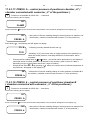
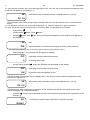
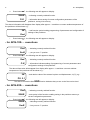
11.2.3.5. Td – differential action time constant of the PID controller.
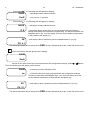
There is the following text on display:
26º
Ti
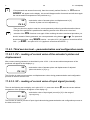
Press once button∇; then the current ambient temperature of the positioner will appear on the display e.g.:
26º
- and symbol of the time constant in [s] of differential action of the PID
controller
Td
o
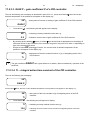
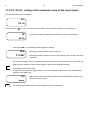
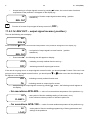
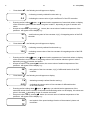
Press button
Td
0.01
o
o
; the following text will appear on display:
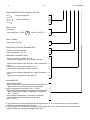
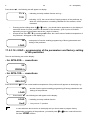
– indicating currently realized function and e.g..:
– indicating the current value of time constant of differential action
of the PID controller
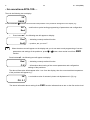
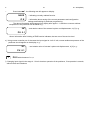
Pressing or holding down ∆ button, or ∇ button you should lead to appearance of the numerical
values of time constant of differential action of the controller as given in the point 10.3. table 1,
depending on the actuator type and stroke.
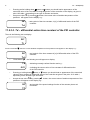
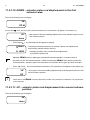
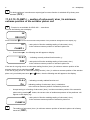
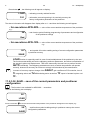
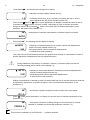
Accept the set value Td by pressing
button; the current value of ambient temperature of the
positioner will appear on the display e.g.:
26º
TF
- and symbol of the speed settings function of the actuator piston rod
movement