1
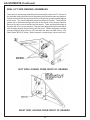
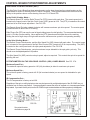
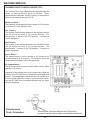
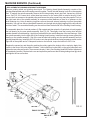
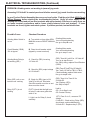
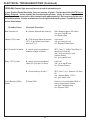
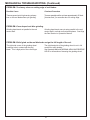
ELECTRICAL TROUBLESHOOTING (Continued)
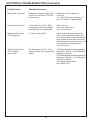
Possible Cause
Checkout Procedure
H. Check for 90 Volts DC across
(TDC) terminals A! to A2 this voltage
drives the DC traverse motor.
NOTE: Traverse must be on and
have (TSP) turned full CW to maximum
voltage of 90 VDC
Check (TDC) terminals
A1 to A2 for 90 Volts DC
Yes--go to step I. next
No--go to Step J. next
Traverse Motor is bad
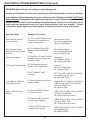
I. Check traverse motor continuity
Remove wires from terminals
A1 & A2 0 ohms across
the black and white wires
Yes--go to Step J. next
No--go to Step N.
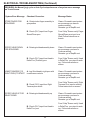
Check Relays 2 and 3
J. (RT1) Verify that relay 2 light
comes on when Traverse Right is
pressed, and that relay 3 light comes
on when Traverse Left is pressed
Lights come:
On-- go to step K. next
Off-- Skip to step L.
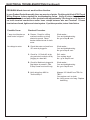
(TSP) (10K) is bad
K. Check (TSP) for 10,000 ohms
Remove three wires from (TDC)
red from term S2
white from term S0
black from inline connector (Wire 39)
Check for 10,000 ohms red to white
wires
Full CCW--0 ohms
Full CW--10,000 ohms
Red to black wires
Full CCW--10,000 ohms
Full CW--0 ohms
Yes--go to Step L. next
No--replace (TSP)
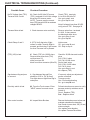
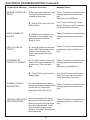
Gap between flag and prox
is incorrect.
L. Gap between flag and Prox
should be 3/16" to 1/4" [4-6mm].
Prox light does not light when flag is
under prox.
If incorrect, adjust per adjustment
section of manual.
Traverse works-Yes-- End troubleshooting
No-- go to step M. next
Proximity switch is bad
M. From the Touch screen, Enter
"HELP" screen from main menu.
Follow instructions on screen to verify
traverse proximity switches are ok.
Switch is
Good-- Replace (TDC)
Bad-- Replace switch
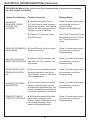
Worn motor brushes
N. Inspect Motor Brushes
Remove the brushes one at a time and
maintain orientation for reinsertion.
See if brush is worn short, 3/8" [10 mm]
minimum length.
Yes--replace motor brushes
No--replace Traverse Drive Motor
No DC Voltage from (TDC)
Traverse Drive Control
41
Note:If voltage is less than 90 VDC
verify pots on TDC. See page 24