1
Page 10
EA Manual
Step 7CS
Step 7CS
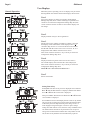
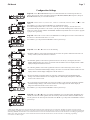
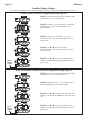
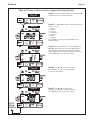
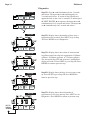
Selecting the use of an outside signal to initiate a regeneration:
Selection only matters if a connection is made to the two pin
connector labeled DP SWITCH located on the printed circuit
board. Following is an explanation of the options:
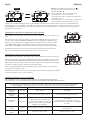
oFF - Feature not used.
EXIT TO
DISPLAY
SCREENS
NOTE: In a twin alternating system each control must have
a separate dP signal or dP switch. One dP signal or one dP
switch cannot be used for both controls.
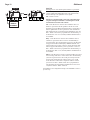
on0 – If the dP switch is closed for an accumulative time of 2
minutes a regeneration will be signaled to the unit. In a twin
alternating system the MAV will transition first to switch units so
that the signaled unit can start regeneration. After the MAV has
fully transitioned, the regeneration begins immediately. Note: For
WS1 – WS2L control valves programmed for twin alternating: if
the dP function “on0” is set, the Delayed Rinse and Fill feature is
not available.
dELy – If the dP switch is closed for an accumulative time of
2 minutes a regeneration will occur at the scheduled delayed
regeneration time. In a twin alternating system once the dP switch
is triggered the PC Board will display “REGEN TODAY” and
when the delayed regen time comes the control will switch tanks
and the triggered unit will then go into regeneration. Note: For
WS1 – WS2L control valves programmed for twin alternating: if
the dP function “dEL” is set, the Delayed Rinse and Fill feature is
not available.
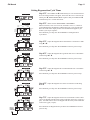
HoLd – If the dP switch is closed a regeneration will be prevented
from occurring while there is switch closure. In a twin alternating
system the regeneration of a unit can be prevented upon switch
closure. If the unit depletes the capacity down to zero, it will
not be allowed to switch tanks to regenerate until the switch is
open. Note: For WS1 – WS2L control valves programmed for
twin alternating the Delayed Rinse and Fill feature can be set in
conjunction with the “HoLd” if desired.
Press NEXT to exit Configuration Settings. Press REGEN to return to
previous step.