1
4 Conducting Examinations
4.7 Rebinding other study information with that of the
suspended study order
When an examination was started for a different patient by mistake or another
reasons, suspend the study order (see 4.6), rebind the correct study information with
the suspended study order as explained in the following procedures, and start the
examination again.
NOTE:
Only study information included in a study order, which were listed in the
[EXAM > Worklist] screen, can be added/moved to a suspended study order.
dose not appear for a study order which are manually created.
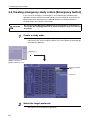
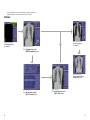
1
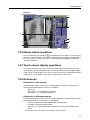
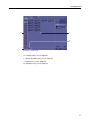
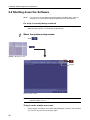
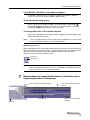
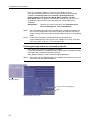
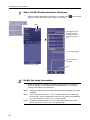
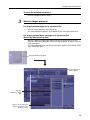
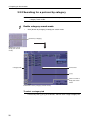
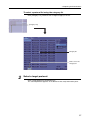
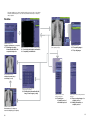
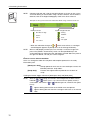
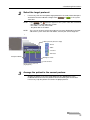
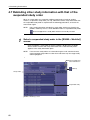
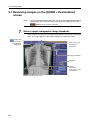
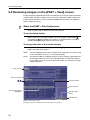
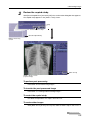
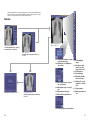
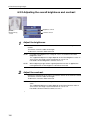
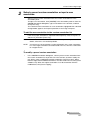
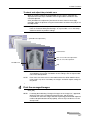
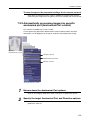
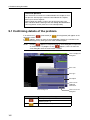
Select a suspended study order in the [EXAM > Worklist]
screen.
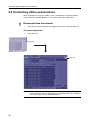
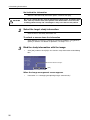
Click to highlight a study order for which Pending is displayed in the Study
Status column. Patient and study information of the selected study order
appears in the study information pane.
NOTE:
If two or more study orders are selected using the multi-selection feature,
click unwanted study orders to clear them and leave only one target study
order highlighted.
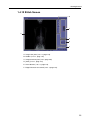
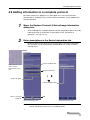
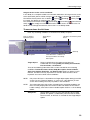
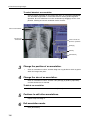
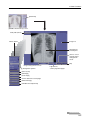
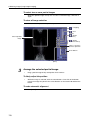
[On Line]/[Off Line]
selector/indicator
(rebind)
Study Status
Suspended study
[EXAM > Worklist] screen
86