1
TG341xBX(e).book Page 14 Thursday, March 3, 2011 1:47 PM
Phonebook
Phonebook
The phonebook allows you to make calls
without having to dial manually. You can add
50 names and phone numbers to the
phonebook.
Important:
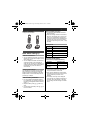
L If you add entries on one handset, the
entries can be shared on all handsets. Only
1 person can access the phonebook at a
time. (KX-TG3412)
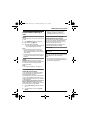
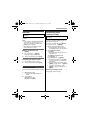
Adding entries
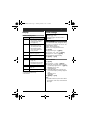
1 {k} s {j/OK}
2 {r}: “New entry” s {j/OK}
3 Enter the party’s name (16 characters
max.). s {j/OK}
4
5
Enter the party’s phone number (24 digits
max.). s {j/OK} 2 times
L To add other entries, repeat from step
3.
{OFF}
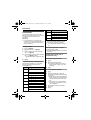
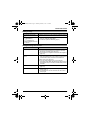
Character table for entering names
While entering characters, you can switch
between uppercase and lowercase by
pressing * (A→a).
Character
#
&
’
(
)
;
,
–
.
/
3
4
5
6
7
14
Character
8
T
U
V
8
t
u
v
8
W
X
Y
Z
9
w
x
y
z
9
9
A
B
C
2
a
b
c
2
D
E
F
3
d
e
f
3
G
H
I
4
g
h
i
4
J
K
L
5
j
k
l
5
M
N
O
6
m
n
o
6
1
Erasing the character or number
Press {<} or {>}. s {C}
L Press and hold {C} to erase all characters
or numbers.
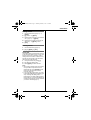
Finding and calling from a
phonebook entry
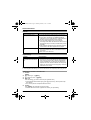
Scrolling through all entries
1
2
Q
R
S
7
p
q
r
s
7
{k}
{r}: Select the desired entry.
L To switch the display from name to
phone number, press {>}. To return,
press {<}.
{C}
Searching by first character
1
2
3
P
0
)
L To enter another character that is located
on the same dial key, first press {>} to
move the cursor to the next space.
L in the above table represents a single
space.
3
Key
1
2
Key
4
{k}
Press the dial key () – 9) which
contains the character you are searching
for (page 14).
L Press the same dial key repeatedly to
display the first entry corresponding to
each character located on that dial
key.
L If there is no entry corresponding to
the character you selected, the next
entry is displayed.
{r}: Scroll through the phonebook if
necessary.
{C}