1
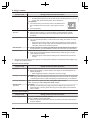
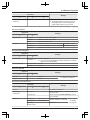
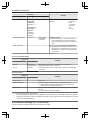
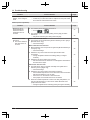
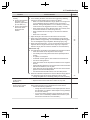
11. Troubleshooting
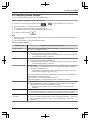
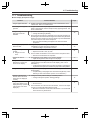
Camera connections
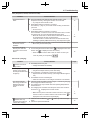
Display
"Cannot connect to
camera"
"Cannot transmit"
Cause & Solution
Page
R The camera is too far from the main monitor, or there is an object such
as a concrete wall obstructing the signal.
→ Move the camera closer to the main monitor or to an area that does
not have any obstructions. If the camera cannot be moved to
another area, installing a repeater (additional accessory) may
improve the signal.
7
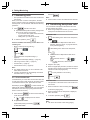
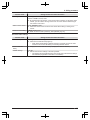
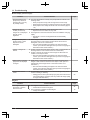
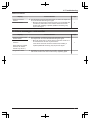
11.3 Error messages - sub monitor
Display
Cause & Solution
"Cannot connect to main
monitor station"
R The sub monitor or camera is too far from the main monitor, or there
is an object such as a concrete wall obstructing the signal.
→ Move the sub monitor or camera closer to the main monitor or to
an area that does not have any obstructions.
If the camera cannot be moved to another area, installing a
repeater (additional accessory) may improve the signal.
"Cannot connect to
camera 1"
(When there are multiple
cameras, the camera
number may not be 1.)
"Registration failed"
R Registration to the main monitor has not been completed. Bring the
sub monitor closer to the main monitor and try registering again.
Page
7
-
49