1
CHECK DAMAGED PARTS. Before further use, a part that is damaged should be checked to determine that it will operate
and perform properly.
Do not use the Model 0200 OMD if the power switch does not turn it BOTH on and off.
DO NOT OPERATE the Model 0200 OMD near flammable liquids or in gaseous or explosive atmospheres. Motors in the
the Model 0200 OMD normally spark internally, and the sparks might ignite fumes. Vacuum units also make sparks internally.
LET IT BREATHE! There are TWO air cooling INLETS (on both left and right sides), and an air cooling OUTLET on bottom.
Keep air inlets and outlet clear so cooling air can flow easily.
NEVER operate the Model 0200 OMD with the cover open or residue bag removed (if Internal Vacuum equipped). Tighten cover
securely first!
If machine is not working properly, contact an authorized service center for repair.
Double Insulation and GROUNDING
the Model 0200 OMD is constructed throughout with two separate layers of electrical insulation or one double thickness of
insulation between you and the the Model 0200 OMD electrical system. However, Double Insulation is NO SUBSTITUTE for
normal safety precautions.
Static Buildup and GROUNDING
Under very dry conditions, it is possible that static electrical charges could build up internally as the the Model 0200 OMD
reduces numerous discs to dust. To suppress possible static charge buildups, the Model 0200 OMD is equipped with a 3-prong,
grounding-type cord and plug. Do not defeat its purpose. Connect to a Grounded Outlet Only. Do not cut off the grounding
pin. Do not use an adapter to bypass the grounding function of the 3-prong plug.
CAUTION: When servicing, USE IDENTICAL REPLACEMENT PARTS ONLY!
To stop the the Model 0200 OMD immediately, set the POWER SWITCH to “OFF” position.
SWITCH OFF the Model 0200 OMD AND DISCONNECT FROM POWER SUPPLY BEFORE OPENING COVER.
Extension Cords: Make sure your extension cord is in good condition. Use one heavy enough to carry the current. An undersized cord
will cause loss of power and overheating.
POWER SOURCE: Be sure your power supply agrees with data plate marking. Your the Model 0200 OMD may be operated
ONLY with alternating current (“AC”).
VOLTAGE DECREASE of more than 10% will cause loss of power and overheating. Every the Model 0200 OMD is factory tested.
If it does not operate properly, check the power supply.
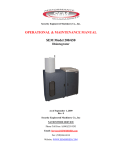
Model 0200 OMD SPECIFICATIONS
INTENDED USE: Highest Security Terminal Destruction of all types of optical media - CD, DVD, BLU-RAY, both Recordable
and Pre-Recorded, data per U.S. Dept. of Defense Specifications, Standards, and Requirements
MACHINE SIZE (With no Internal Vacuum Option, LxWxH): 11.5 x 9.4 x 7.8” (292 x 239 x 198 mm)
NET WEIGHT: 14.8 LBS. (6.72 kG)
POWER REQUIRED: 110-130 VAC 50-60 Hz, 10 Amp Supply Recommended.
FUSE: 10 Amp Slow-Blow
VACUUM LEVEL REQUIRED (whether using Internal Vac Option or Externally Provided Vacuum): At least 10” WC suction.
Equivalent to: 24.9mbar or 18.7mmHg or .361 PSIType of RESIDUE OUTPUT: Dust
CYCLE TIME: Approximately 7 seconds per disc.
LUBRICATION REQUIRED: None
CONSUMMABLES REQUIRED: None
DOD-EVALUATED FOR ALL TYPES of the following OPTICAL MEDIA:
1. Compact Disc (“CD”), Recordable CD (“CD-R’”), Rewritable CD (“CD-RW”)
2. DVD - both Pre-Recorded and Recordable (“DVD-R”, “DVD-RW”)
2. Blu-Ray Discs (“BD”), both Pre-Recorded and Recordable.
WARNING: This machine COMPLETELY DESTROYS the DISC, along with the data.
INCLUDED:
This Owner’s Manual and power cord.
--If Internal Vacuum Option selected, additional instructions and items are supplied.