1
¨ PTT ID Encode Using FleetSync
PTT ID or PTT ANI ( Alpha numeric identifier) is a FleetSync feature that will identify the current or last
radio to transmit. This information can be useful to a dispatcher to stop horse play on the radio system or
to identify a user who is in trouble. The ANI information can be displayed on the radios front panel or sent
out the radios comport to a external device to be stored or displayed. See FleetSync Applications guide for
more information on these external devices.
Exercise 2 PTT ID Encode
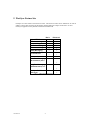
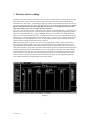
For this exercise we will create a data file for a Portable radio. The Fleet/ID’s numbers we will use are:
Base
Portable
1
2
Fleet
100
100
ID
1000
1001
Alias
Base
Radio 1
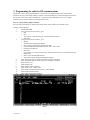
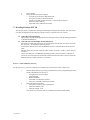
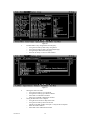
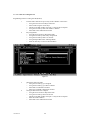
Read the portables data we previously programmed in section “Programming the
radio for RF Communications” Exercise 1.
> Using the ALT and Arrow Keys
> Select Program
> Read From Radio
> Select OK in confirmation window
> Select Yes in DTMF confirmation window
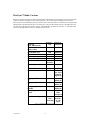
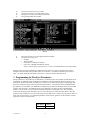
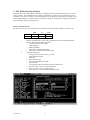
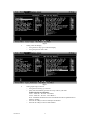
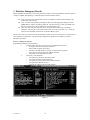
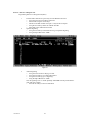
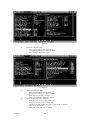
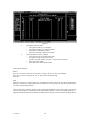
Selecting PTT ID type
> Using the ALT and Arrow Keys, go to edit
> Select Optional features
> Select ID
> Select PTT ID Type
> Using the Space Bar Select MSK
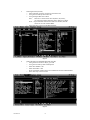
> Select PTT ID
> Using the Space Bar Select BOT (Begin of transmission)
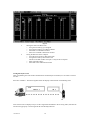
> Press ALT Key to return to Optional Features
> Press ALT Key to return to Edit Window
> Press ALT Key to return to Main Channel Window
Figure 3
11/01 Rev 2.0
8