1
Section VI – Program Mode
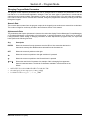
Changing Program Mode Parameters
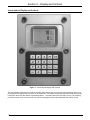
The program codes represent parameters that can be changed either to enhance the performance of the microLoad.net or to accommodate application changes. There are three types of parameters in microLoad.net:
codes that require numerical data, codes where an option can be selected from a list, and codes where alphanumeric data is entered. Once a code has been selected, change the programmed contents by entering a new value
through the keypad.
Numeric Data
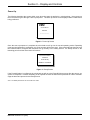
The numeric data is entered into the program codes via the keypad just as numbers are entered into a calculator.
The number of digits for each entry is listed in the Reference section of this manual.
Alphanumeric Data
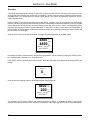
The parameters that require alphanumeric data are the codes that display Product Messages, Prompt Messages,
or Permissive Messages on the displays of microLoad.net, or provide information to be printed out on the Bill of
Lading Emulation. When adding or changing information in these alphanumeric program codes, the keys listed
below perform the following functions.
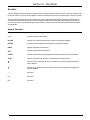
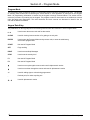
Key
Description
ENTER
Moves the character from the character set to the ID line. Also enters the data into the
instrument's memory after END has been selected from the character set
SET
Moves the cursor six positions to the right
→
Moves the cursor one position to the right each time it is pressed
←
Moves the cursor one position to the left each time it is pressed
↑ and ↓
Selects the next block of characters. An example of this is changing from uppercase
letters to lowercase letters. The blocks of characters available in microLoad.net are as
follows:
•
•
•
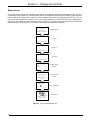
ABCDEFGHIJKLMNOPQRSTUVWXYZ#*
abcdefghijklmnopqrstuvwxyz&@
0 1 2 3 4 5 6 7 8 9 < > ( ) ? ! . ,' - " / + = _ END
MN06149 Issue/Rev 0.0 (9/04)
19