1
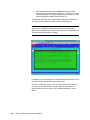
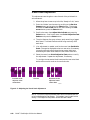
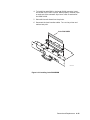
4. Print Service Test Print 9.
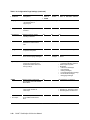
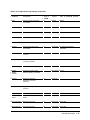
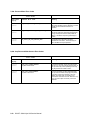
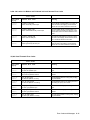
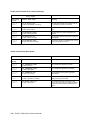
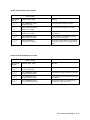
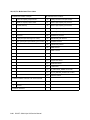
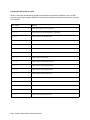
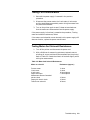
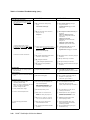
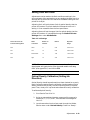
5. Measure points P1 through P20, and calculate the averages for
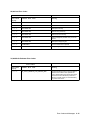
the boxes having the four different densities: Low, Medium,
High and Super High. The values for these densities must be
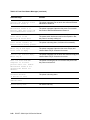
within the following ranges:
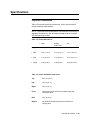
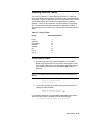
Low
Medium
High
Super High
0.13 to 0.17
0.93 to 1.07
1.65 to 1.85
2.61 to 2.89
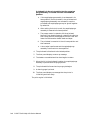
If calibration is not achieved, do the following:
• Check that averages were calculated correctly.
• Check that the densitometer is calibrated and is the correct
type. It must be a Gretag D19C or X-Rite 400B and must
contain a “polarizing” filter.
• Perform the following iteration:
If Super High failed,
a. First, check to make sure that the front panel setting for
Dmax is greater than 2.75. If so, proceed to the next step. If
not, set Dmax to 3.2, reprint Service Test Print 9 and
remeasure.
b. Subtact 2.75 from the actual value measured.
c. Add this value to “Ink 3” and adjust in the Hidden
Service Menu.
d. Go to “Ready.” Reprint Service Test Print 9 and remeasure.
If Low Failed,
a. Check that Dmin (Info➔Printer Settings➔Dmin) is equal
to Ink 0. If it is, proceed to Step b. If it is not, adjust Dmin
equal to Ink 0. Since Dmin has no direct knob, the way to do
this is to adjust Ink 0 down 0.01, return to “Ready,” then
adjust Ink 0 back up 0.01. This will cause Dmin to default to
whatever Ink 0 is. Proceed to Step c.
b. If Low fails on the high side, add 0.01 to Ink 0. If Low
fails on the low side, subtract 0.01 from Ink 0. Adjust Ink 0
in the Hidden Service Menu.
c . Go to “Ready.” Reprint Service Test Print 9 and remeasure.
4-30 ii LINX™ Solid Inkjet 100 Service Manual