1
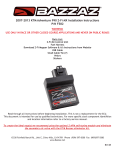
The Bazzaz harness will have one remaining connector near the neutral connection made in the previous step. This
connector is where the speed sensor provided with the Bazzaz kit connects once it is installed to the motorcycle’s rear
brake caliper mounting bracket. (Photo 3)
4.The factory rear brake caliper mounting bracket has been manufactured by KTM with the option for a rear wheel
speed sensor. It has two pre-drilled holes, providing an opening for sensor placement and securing of the sensor in
place. Note: The speed sensor provided with your kit requires that it be mounted allowing for a particular positioning
in relation to the rear brake disc mounting bolts which the sensor uses to calculate wheel speed. The sensor and
bracket assembly has been pre-assembled to achieve an exact tolerance. Do not attempt to modify the assembly as it
may result in poor performance or even damage to the Bazzaz product and motorcycle.
Insert the assembly into the pre-drilled opening of the caliper mounting bracket and secure it with the supplied 6mm
bolt using a 5mm Allen tool (photos 5 & 6). Route the sensor cable along the underside of the swingarm. Secure it to
the brake line with the supplied cable ties (photos 7 & 8). Continue to route the cable behind the right rear set, up
along the frame, under the fuel tank to the mating connector on the Bazzaz harness on the left side of the motorcycle.
(Photos 9, 10 & 11)
6mm Bolt
Sensor set nut (not
to be adjusted)
Photo 5
Front View
Rear View
Photo 6
Speed Sensor Cable Routing Photos
Cable tie
Cable tie
Photo 7
Photo 8