1
Digital Phosphor Oscilloscopes
DPO7000 Series
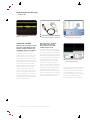
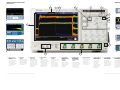
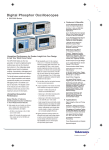
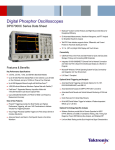
Zoom in on four areas of interest simultaneously to compare them.
Unmatched Versatility
With the MyScope Feature, Create
Your Own Control Windows with
Only the Controls, Features and
Capabilities that You Care About
Easily create your own personalized
“toolbox” of oscilloscope features in a
matter of minutes using a simple, visual,
drag-and-drop process. Once created,
these custom-control windows are easily
accessed through a dedicated MyScope
button and menu selection on the oscilloscope button/menu bar, just like any
other control window. You can make an
unlimited number of custom control
windows, enabling each person who
uses the oscilloscope in a shared environment, to have their own unique control
window. Everything you need is found in
one control window rather than having to
constantly navigate through menu after
menu to repeat similar tasks.
2
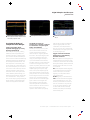
Tektronix active probes achieve high-speed
signal acquisition and measurement fidelity.
With OpenChoice® Software,
Customize Your Test and
Measurement System with
Familiar Analysis Tools
The analysis and networking features of
OpenChoice software add more flexibility
to Tektronix’ Windows XP oscilloscopes:
Using the fast embedded bus, waveform
data can be moved directly from acquisition
to analysis applications on the Windows
desktop at much faster speeds than
conventional GPIB transfers. Tektronix’
implementation of industry standard
protocols, such as TekVISA™ interface and
ActiveX controls, are included for using
and enhancing Windows applications for
data analysis and documentation. IVI
instrument drivers are included to enable
easy communication with the oscilloscope
using GPIB, serial data and LAN connections from programs running on the
Oscilloscope • www.tektronix.com/oscilloscopes
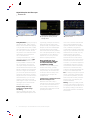
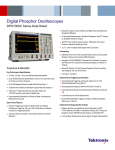
Drag and drop menu items of interest to
create the MyScope® control window.
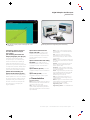
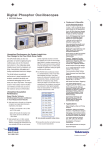
Capture data into Microsoft Excel using the
unique Excel toolbar and create custom
reports using the Word toolbar.
instrument or an external PC. Integration
of the oscilloscope with external PCs and
non-Windows hosts is also supported by
the DPO7000 Series software solutions.
Data transfer programs, such as the
Excel or Word toolbar are used to simplify
analysis and documentation on the
Windows desktop or on an external PC.