1
Summary Screen
About the
Summary
Screen
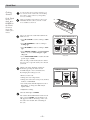
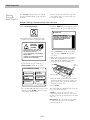
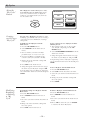
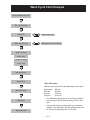
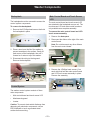
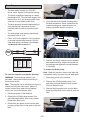
After selecting a wash cycle, the Summary Screen
displays the automatic settings for the cycle you
have chosen. You can adjust these by touching the
screen location for any of the settings shown.
If you change any of the automatic settings, you
can save the new settings as a custom “My Cycle”
by pressing the MY CYCLES button and choosing
SAVE CURRENT SETTINGS.
SUMMARY SCREEN
COTTONS
CYCLE
WASH ACTION
SOIL
TEMP
OPTIONS
TIME
0:54
NORMAL
Changing the
Soil Level
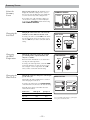
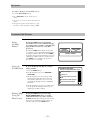
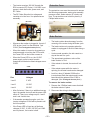
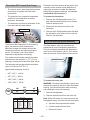
Changing the soil level increases or decreases the
wash time to remove different amounts of soil.
To change the soil level, touch SOIL on the Touch
Screen; then use the arrows to select more or less
soil. Press OK when you have reached the desired
setting.
SOIL LEVEL
OK
MORE SOIL
HEAVY
LESS SOIL
Changing
the Wash
Temperature
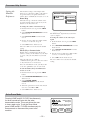
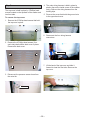
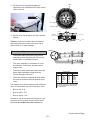
Changing the temperature changes the wash and
presoak temperatures only. The final rinse will
always be a cold rinse.
LIGHT
TEMPERATURE
OK
HIGHER
Follow the fabric manufacturer’s care label when
selecting the wash temperature.
To change the wash temperature, touch the TEMP
pad on the Touch Screen; then use the arrows to
select a higher or lower temperature. Press OK
when you have reached the desired setting.
COLD
LOWER
Changing the
Wash Action
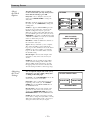
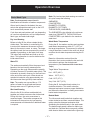
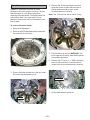
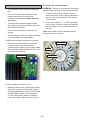
Changing the wash action changes the wash and spin
speeds of the cycle.
WASH ACTION
Always follow the fabric manufacturer’s care label
when changing the wash action.
To change the wash action, touch WASH ACTION
on the Touch Screen; then select the desired setting.
Typically, slower spin speeds result in less water
removed from clothes.
Wash Action
Wash Speed
Spin Speed
Normal
Medium
Fast
Vigorous
Fast
Fast
Delicate
Slow
Slow
Extra Slow
Extra Slow
Hand Wash*
– 12 –
VIGOROUS
DELICATE
NORMAL
HAND
WASH
*Use a low-sudsing, high-efficiency, gentle liquid
detergent such as Woolite® HE.