1
Delta Elec. Inc.
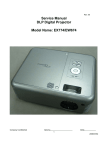
EX785_ EW775
CONTENTS
1.COMPLIANCE OF SAFE REPAIR.........................................................................................4
1-1.Caution During Disassembling And Assembling..............................................................4
1-2.Lamp............................................................................................................................... 4
1-3.Lens.................................................................................................................................4
1-4.Eye Safety Warnings.......................................................................................................5
2.SPECIFICATIONS..................................................................................................................6
2-1.Summary Specifications................................................................................................. 6
2-2.DMD Specifications........................................................................................................ 7
2-3.Color Wheel.................................................................................................................... 7
2-4.Lamp............................................................................................................................... 7
2-5.Terminal connectors………………………………..……………….……………………….…7
2-6.Main Unit View……………………………………………………….………………………....8
2-7.I/O Ports Illustration about projector…………..................................................................9
2-8.Control panel……………………………………………………….……………………….…10
2-9.Remote Control Parts....................................................................................................11
2-10.Adjusting Projected Image Position Using PureShift………….…………....………….. 13
2-11.PureShift Range Diagram………………………………………….………………….…....16
2-12.Adjusting Projection Image Size…………………………….….………………………….17
2-13.BLOCK DIAGRAM...................................................................................................... 20
2-14. Explanation of Block Diagram……...……………………….……………………………..23
3.TROUBLE SHOOTING....................................................................................................... 25
4.DISASSEMBLY AND ASSEMBLY…………........................................................................ 34
5.Flash Upgrade Flow............................................................................................................ 58
5-1. Projector USB Drivers Installation Guide……………………………………….…..……..58
Appendix-A: How to clear the USB enumeration registry?...........................................65
Appendix-B: Projector USB status on Windows Device Manager………….…………..66
5-2. DLP Projector Flash-Tool (Firmware) User Guide………………......……………....…..67
5-3. DLP Projector Flash-Tool (splash logo) User Guide………………..……………………73
5-4.Powering On/Off the Projector………………………………………………………..…......79
5-5. SETUP / Security………..…………………..…………..…………….…..…….…………..81
6.Calibration……………………………..………………………………………….………………..85
7.Installing or Removing the Optional Lens………………..…….…………………………….……...89
Company Confidential
2
Optoma___________________
Delta________________
2010/01/05