1
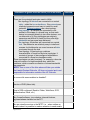
It is important to narrow down and isolate the action (s) that is responsible for
causing the error to be displayed. Once this has been completed:
¾ a workaround
¾ an unsupported action will have been identified
¾ or the necessary detail will have been gathered to provide to HewlettPackard, in the event that the issue needs to be escalated.
NOTE: Without the “exact steps” to reproduce the 49 error it is challenging for
the HP Labs to find the root cause and provide a potential solution.
This document is broken into multiple sections which provide basic
troubleshooting and information gathering tools. In addition, there are
alternative methods to help identify the responsible actions for the error and its
cause. Evaluate each of the following scenarios to determine which is
applicable.
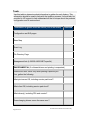
Error can be reproduced
If the error can be reproduced, use the following sections of this document:
¾ Product-specific documents
¾ Clearing the error
¾ Validating the firmware
¾ Table #1/Stack Trace
¾ Hardware, if applicable
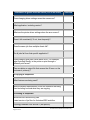
Power-cycle doesn’t eliminate error
If the error cannot be eliminated by a power-cycle, use the following sections of
this document.
¾ Product specific documents
¾ Clearing the error
¾ Hardware
¾ Table#1
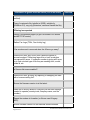
Feature-specific error
The error has been narrowed down to a specific feature.
¾ Product specific documents
¾ Validating the firmware
¾ Software, Sending, Faxing, and environmental troubleshooting
¾ Table#1/Stack Trace
Page 2 of 26
HP and Channel Partner Internal Use Only