1
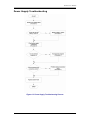
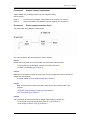
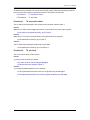
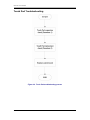
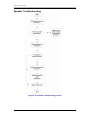
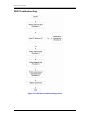
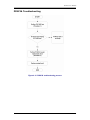
GL31 Service Manual This section describes how to determine if the PCMCIA card player is functioning properly. The process is summarized in Figure 6-13. Perform the steps below starting with Procedure 1 and continuing with the other procedures as required. Procedure 1: Procedure 2: Procedure 1 Sy-card test PCMCIA socket replacement check SYCARD test The SYCARD test card contains a PCMCIA test program. Ensure the card in fully inserted into the socket before running the program. If an error occurs during the SYCARD test, perform Procedure 2. If no error occurs, it is likely that original PC card was faulty. Procedure 2 PCMCIA socket replacement check The PCMCIA socket may be damaged or defective, for instance the socket pins can be bent. Disassemble the computer following the steps described in Chapter 4, Replacement Procedures and replace the socket. If the problem persists, the system board may be defective or damaged. 6-4