1
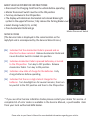
Basic vehicle operation instructions:
• Disconnect the Charging Cord from the vehicle before operating
• Master Disconnect Switch must be in the ON position
• Turn key clockwise to the ON position
• The display will indicate an illuminated red colored Brake Light
symbol in the upper left corner, fully release the Parking Brake Lever
• Select driving mode (R, DL, or DH)
• Press Accelerator Pedal and go
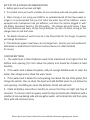
Service Codes
(The Service Code is displayed in the same location as the
mph/kph and is accompanied by the Service Wrench icon.)
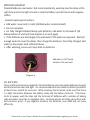
Master Disconnect Switch
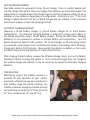
[06] Indicates that the Accelerator Pedal is pressed and no
direction has been selected. Release Accelerator Pedal and
insure Direction Switch is locked into position.
[11] Indicates Accelerator Pedal is pressed before key is turned
to the ON position. Turn key to OFF position. Release
Accelerator Pedal. Turn key to ON position.
[15] Indicates a low state of charge for the batteries. Fully
charge batteries before operating.
[16] Indicates that there is a high state of charge for the
batteries. Turn headlights on for several minutes, then turn
key switch to the OFF position and then to the ON position.
* If you see other Service Indication Codes please contact your dealer for service. A
complete list of error codes is available in the Service Manual, a purchasable item
from your local authorized GEM dealer.
Please refer to your Owner’s Manual for more detailed information regarding your vehicle.