1
GE MEDICAL SYSTEMS
DIRECTION 2300000, REVISION 2
LOGIQ™5 SERVICE MANUAL
Section 8-9
Power Block
8-9-1
AC Power Assy
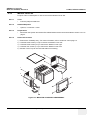
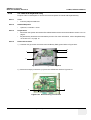
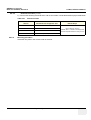
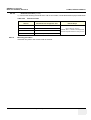
Purpose: This is a description on how to remove and replace the AC Power Assy.
8-9-1-1
Tools
•
8-9-1-2
Needed Manpower
•
8-9-1-3
2 persons, 15 minutes + travel
Preparations
•
8-9-1-4
Common pillips screwdrivers
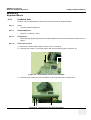
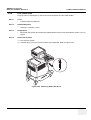
Shut Down the System and switch off the Main Breaker at the rear as described in section 4-3-2 on
page 3.
Removal Procedure
CAUTION Do not wear the ESD wrist strap when you remove a part of power supply unit. Turn OFF power
and unplug the power cord before removing a part of power supply unit. However be sure to turn
off power and wear the strap before you remove a circuit boards.
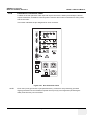
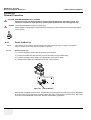
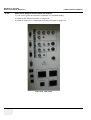
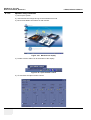
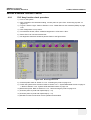
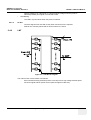
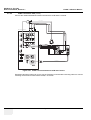
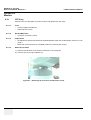
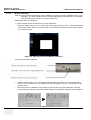
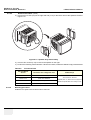
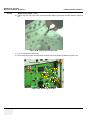
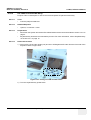
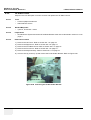
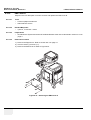
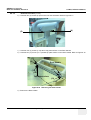
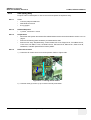
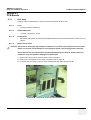
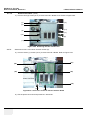
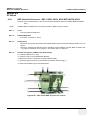
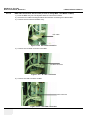
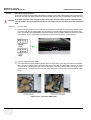
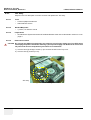
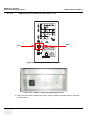
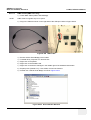
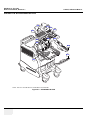
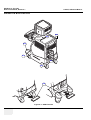
1.) Unscrew two(2) screws (1-2) to remove rear connector bracket. Refer to Figure 8-182.
(2)
(1)
Figure 8-182 Removing the Rear Connector Bracket
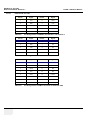
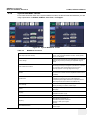
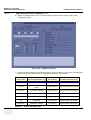
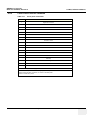
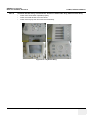
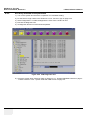
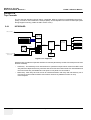
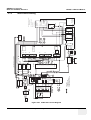
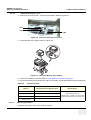
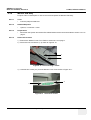
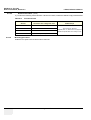
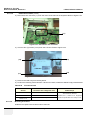
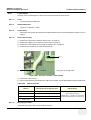
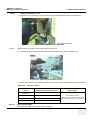
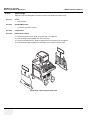
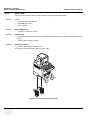
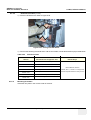
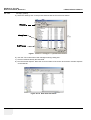
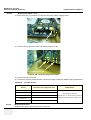
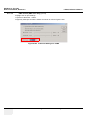
2.) Disconnect eight (8) connectors (3-10). Refer to Figure 8-183.
(3) (4) (5) (6)
(7) (8) (9) (10)
Figure 8-183 Disconnecting 8 connecotors
Chapter 8 Replacement Procedures
8-153