1
Cobra 200GTL DX Frequency Modification Package
Introduction
Read the complete mod package before starting
NOTE: Exercise a great deal of care with this mod!
Due to the placement, size, and close proximity of the surrounding traces.
If done wrong you could destroy the PCB and / or the transistors.
If you have even the slightest doubts or the proper equipment, it would be wise to have someone
else you trust perform the mod for you.
The Cobra 200GLT DX is a 10 Meter Amateur Radio with some unique features not found on other Amateur
radios. SMT (Surface Mount Technology) design and other advanced features such as the Bi-Polar Power
Transistors used in the High Power Transmitter circuit give it superiority over other radios in it’s class.
The Microprocessor Controlled PLL circuit allows the frequency range to extend far beyond many of it’s
competitors. (Export Only!)
Channel Display:
The Channel Display has visual indicators for Band
Segments, and “A” Channels
Export mode consists of 8 Bands divided into 4
switch positions.
The 4 Position Band Switch (A Through D)
represents two 45 channel frequency blocks for
each letter. For example, Position A would start on
the lower frequency segment (1 - 40), and then
continue the next segment above when channel 40
is passed. The channel display will show a small dot
on the center of the display indicating that the radio
is in the Upper Segment of the 2 bands.
“A” channels
The Cobra radios also have “continuous” coverage of each band by not skipping the “A” channels between
3, 7, 11, 15, and 19, as other radios do. As the channel selector reaches channel 3, the next channel up will
display 3 again with a small dot on the Right Side. This represents channel 3A, which is normally skipped
by most radios and only accessible if the radio has a “slider” control or a 10Khz offset switch. The Cobra
200GTL-DX has a built-in Frequency Display so it is much less confusing than other models having no
display.
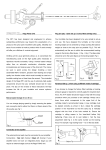
See page 2 for diagram for modification.
Copyright © 2005 CBTricks.com