1
different by environment.
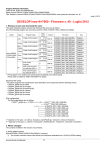
HH: 6% or less, NN: 5% or less, LL:4% or less
None
1
1
-
Remarks: New type DU-102C (cleaning blade and lubricant brush has been changed)
<Serial number cut in>
- Unit serial No. (common for all spec): A03UA311T2100000
------------------------------------------------------ 0Y4 spec: A0400Y4700000
- 0Y5 spec: A0400Y5210000
- WW2 spec: A040WW2210000
Caution:
It is no problem to use old and new type DUs mixed in one machine.
regardless of the quantity, update the firmware to this version.
However, if new type DU is installed
< The same as special ROM GMO-60 >
2) The CSRC setting can be saved to the USB memory and restored from the USB memory.
3) Move DIPSW19-4* function from Service mode to User mode.
*DipSW19-4: Double feed detection sensor of PFU can be turned on/off
[Utility]-[02 User Setting]-[03 Common Setting]-[Next]-[Detect Double Feed JAM]-[Off/On]
4) When the pixel ratio value on list print is corrupted, C-4860 newly occurs.
SC code can be solved by turning off and on the power switch.
Only when C-4860 occurs, it is possible to clear the pixel ratio counter by performing I/O check mode 90-04.
5) Move DIPSW23-6* function from Service mode to User mode. (For FS-521 backside stapler angle adjustment.)
Staple angle can be selected from 45 degrees and horizontal.
[Utility]-[02 User Setting]-[03 Common Setting]-[Next]-[Backside Stapler Angle][Oblique/Horizontal]DIPSW23-6 (FS-521)]
< The same as special ROM GMT-60 >
6) The “CD skew Adj.” value may exceed the setting range when CD skew Adj. value calculated from the both side Adj. in
every tray setting is added.
The DIPSW to enable/ disable CD skew Adj. value which is calculated by both side adj. in every tray setting is newly
established..
DIPSW14-5 =0: Enable tray CD skew adj. value (default)
1: Disable tray CD skew adj. value
7) When the test pattern printing is used in the service mode and return to the normal mode, the all color density setting
for the test pattern is changed to 255.
It is because if the density setting for the test pattern is set to 0 in the service mode, the test pattern in the user mode
is printed by blank sheet.
8) For banner printing, the counter increment unit becomes changeable. (DipSW 9-0,1)
9-0
1-count
2-count
3-count
4-count
9-1
0
1
0
1
0
0
1
1
Remark
Factory set value
b. Correction of malfunctions
[bizhub PRO C6501/C6501P, bizhub PRO C65hc, LD-6500/6501 Common]
< The same as special ROM GMO-60 >
1) When installing ver. 60, and using CSRC modem, it is impossible to get data by using S7 command.
2) Copier HDD capacity is not displayed correctly on Fiery Web connection.
3) Engine stops printing under specific conditions.
< The same as special ROM(GMT-60)>
4) When "stability" is set on "image stability setting" and the mixed media print is done, the color registration error occurs
periodically.
5) If the job is sent from the controller while the mixed originals are scanned, “Scanning the original” message is displayed
and the MFP freezes.
Konica Minolta Confidential
3/6