1
Inactivating and Activating Users and Roles
2.
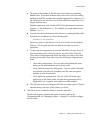
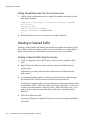
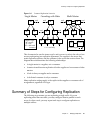
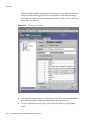
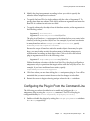
Double-click the entry to display its custom editor, and click on the Account
tab in the left-hand column.
The right panel displays the activation status of the entry.
3.
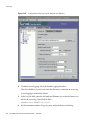
Click the button to inactivate or activate the user or role corresponding to this
entry. A red box and bar through the user or role icon in the editor indicates
that the entry will be inactivated.
4.
Click OK to close the dialog box and save the new activation state of the entry.
As a short cut to opening the custom editor, you may also select the entry and
choose Inactivate or Activate from the Object menu.
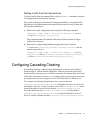
You can view the activation state of any directory object by selecting Inactivation
State from the Console View>Display menu. The icons of all inactive entries are
then shown with a red bar through them. The correct activation state of user entries
is shown regardless of whether they are inactivated directly or through role
membership.
Setting User and Role Activation From the
Command Line
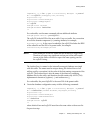
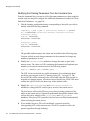
To inactivate a user account or the members of a role, use the ns-inactivate.pl
script (directoryserver account-inactivate in the Solaris Packages). To
activate or reactivate a user or role, use the ns-activate.pl script
(directoryserver account-inactivate in the Solaris Packages). The commands
for these scripts are platform-dependent:
Solaris Packages
Windows Platforms
Other Installations
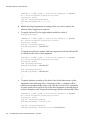
# /usr/sbin/directoryserver account-inactivate
# /usr/sbin/directoryserver account-activate
cd ServerRoot
bin\slapd\admin\bin\perl slapd-serverID\ns-inactivate.pl
bin\slapd\admin\bin\perl slapd-serverID\ns-activate.pl
# ServerRoot/slapd-serverID/ns-inactivate.pl
# ServerRoot/slapd-serverID/ns-activate.pl
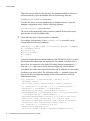
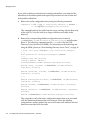
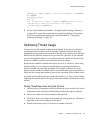
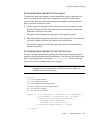
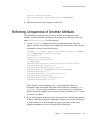
The following commands show how to use the perl scripts to inactivate and
reactivate Barbara Jensen’s user account:
ns-inactivate.pl -h host -p port -D "cn=Directory Manager" -w password \
-I "uid=bjensen,ou=People,dc=example,dc=com"
ns-activate.pl -h host -p port -D "cn=Directory Manager" -w password \
-I "uid=bjensen,ou=People,dc=example,dc=com"
Chapter
7
User Account Management
261