1
Spectrum Analyzer
Making a Basic Measurement
Making a Basic Measurement
This section provides information on basic analyzer operation. For more
information on making measurements, see the appropriate measurement chapter.
This section is divided into the following sections:
“Entering Data” on page 69
“Using Menu Keys” on page 69
“Presetting the Spectrum Analyzer” on page 71
“Viewing a Signal” on page 72
CAUTION
Ensure that the total power of all signals at the analyzer input does not exceed +33
dBm (2 watts).
Basic Assumption
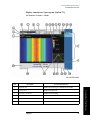
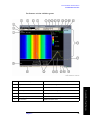
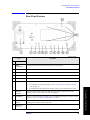
The material in this chapter is presented with the assumption that you understand
the front and rear panel layout, and display annotations of your analyzer. If you do
not, refer to the Measurement Guide “Front and Rear Panel Features” on page 49.
Entering Data
When setting measurement parameters, there are several ways to enter or modify
the value of the active function:
Knob
Increments or decrements the current value.
Arrow Keys
Increments or decrements the current value.
Numeric Keypad
Enters a specific value. Then press the desired terminator (either a
unit menu key, or the Enter key).
Unit Menu Keys
Terminate a value that requires a unit-of-measurement.
Enter Key
Terminates an entry when either no unit of measure is needed, or you
want to use the default unit.
Using Menu Keys
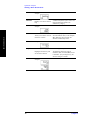
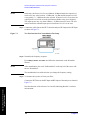
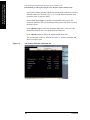
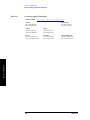
Menu Keys (which appear along the right side of the display) provide access to
many analyzer functions. Here are examples of menu key types:
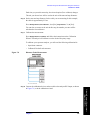
Toggle
Chapter 5
Allows you to
activate/deactivate states.
Toggles the selection (underlined choice)
each time you press the key.
69
Spectrum Analyzer
“Creating a User Preset and Power-Up State” on page 71