1
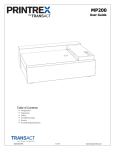
MP200
Preparation
Front Panel
Paper Compartment Access Hole
Package Contents
§
§
§
§
Writing Surface/Paper
Compartment Door
MP200 Chart Recorder
Power Cord
Parallel Interface Cable
This User Guide
Unpacking
Locate and remove the Power Cord and Parallel Interface
Cable.
Paper Release Tab
Remove the protective end caps and plastic bag. The Recorder
can now be placed on the desired surface. Note that there is a
cardboard insert that holds the Writing Surface in place during
shipment. This insert should be removed now.
The packaging material is not required beyond this point.
Paper Exit Path
Figure-1
Getting Familiar
Review Figure 1 through Figure 3 to become familiar with
the names and locations of the various features of the
Recorder. These names are used throughout this Operators
Guide.
Paper Compartment
Paper Entry Channel
Power Switch
Interface Connector
Power Entry Module
Figure-2
Door in Open Position
Front Surface
Figure-3
-2-
www.printrex.com