1
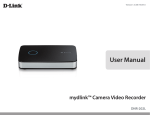
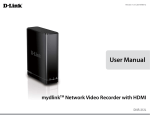
DNR-202L mydlink Camera Video Recorder
Finding and configuring your IP cameras couldn’t be easier. Simply press the
The DNR-202L uses clear and simple interface enabling users to quickly
auto-scan button and the DNR-202L will find all the cameras connected to
and easily configure the most common settings, including compression,
your network. The DNR-202L’s built in buzzer will beep to confirm each of the
resolution, and frame rate for all connected cameras. Once the cameras have
cameras it finds.
been set up, recordings can be made automatically.
Extensive recording functionality
Right View
Rear View
HDD 1 Release Button
Power Receptor
HDD 2 Release Button
USB Port for HDD 1
RJ45 Connector
Reset button
USB Port for HDD 2
Auto Scan Key
Technical Specifications
Network Video Recorder
Video Format
• H.264/MPEG-4/MJPEG for live streaming
• JPEG for still images
Audio support
• G.711
• G.726
Reset Button
• Reset to factory default
Auto Scan Key
• IP Camera Finder (press for 3 seconds)
External Device Interfaces
• 10/100 BASE-TX Fast Ethernet port
• 2 x USB 2.0 ports for external HDD storage
Live View Resolution
• 1280 x 720 (1 ch)
• 640 x 480 (4 channels)
Live View Display Modes
• 1 and 4 channels display
Recording Modes
• Schedule, Manual, Event (Motion)
Recording Performance
• 32 Mbps
Playback Modes
• Time, Event, Camera
Playback Performance
• Max. 720P for 1 channel
Playback Control
• Play, Stop, Pause, Forward, Backward, Next, Previous
Video Export Formats
• AVI
Video Management
• Continuous
• 640 x 480 (4 channels)
Network
Physical Interface
• RJ45 10/100 LAN Ethernet (auto MDI/MDIX)
Network Protocols
• IPV4, ARP, TCP, UDP, ICMP
• DHCP Client
• DNS Client
• HTTP Server
• HTTPS
• SMTP
• RTP
• RTCP
• RTSP
• NTP
• UPnP