1
No
1
2
3
4
5
Description
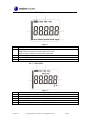
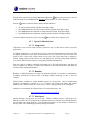
Barometric pressure units: hpa, mbar, inHg
Max/Min/Avg dew pressure reading display
HOLD: Displayed when meter is on hold mode
Beaufort scale
Barometric pressure reading based on mode setting
6.2.7
Pressure Altitude
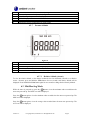
Figure 10
No
1
2
3
4
Description
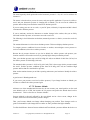
Pressure Altitude units: m, ft
Max/Min/Avg density altitude reading display
Beaufort scale
Pressure altitude reading based on mode setting
6.2.7.1
Relative Altitude (Ascent)
To view the relative altitude, or the change in altitude since last calibrated (referred to as climb or
ascent / descent), press and hold the Units button for two seconds, and relative altitude will be
displayed. Press and hold the Units button again for two seconds to change back to Density Altitude.
6.3 Min/Max/Avg Mode
While the meter is powered up, press the
button to view the maximum value recorded since the
meter was powered up. The MAX icon will be displayed.
Press the
button again to view the minimum value recorded since the meter was powered up. The
MIN icon will be displayed.
Press the
button again to view the average value recorded since the meter was powered up. The
AVG icon will be displayed.
Version 1.2
©Copyright 2015, Ambient LLC. All Rights Reserved.
Page 8