1
II. Basic Features and Functions
Use of the FM Work Orders assumes basic knowledge of FileMaker Pro for which there are countless resources
on the web (www.filemaker.com). However, we have built the FM Work Orders with a user friendly interface
allowing new users to quickly understand how to use this product after only a few minutes of review.
Chapter 1- Overview
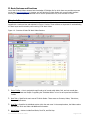
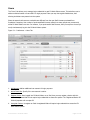
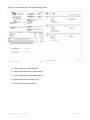
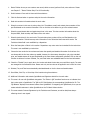
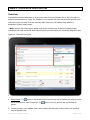
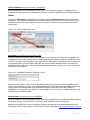
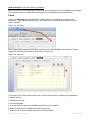
Most areas in FM Work Orders have the sections outlined below. For clarity each section has been outlined,
tagged with a numbered star and explained in Figure 1.0 below. These sections are important for understanding
the basic layout and functionality when working in FM Work Orders.
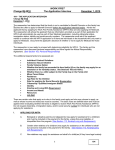
Figure 1.0 - Overview of Basic FM Work Orders Sections
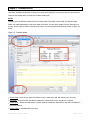
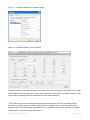
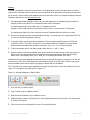
1. Status ToolBar = Use to navigate through found set of records, add, delete, find, and sort records plus
much more. Please see Chapter 2 regarding the “FileMaker Basics” on how to set up and use the Status
ToolBar.
2. Main Tabs = Specifies the main area of FM Work Orders. These areas are Contacts, Orders, Technicians,
Items and Preferences.
3. Area Tabs = Specifies the individual section within the main area. In the example above, the Orders section
has two tabs which are Order and Additional Information.
4. Action Items = Actions include Send Order, Print File, and Get Map.
User Manual – FM Work Orders
Page 6 of 36