1
25
3.2. Programming PIN Numbers
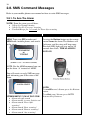
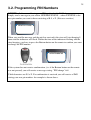
NEWPIN – In the case of loosing your PIN number for the RAM alarm system.
Simply send a message to your alarm: NEWPINXXXXXX – where XXXXXX is the
new pin number you want to have consisting of 0-9, a-Z. (Not case sensitive)
NEWPIN123456
NEWPIN123456
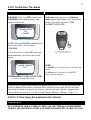
When you send the message and the unit has received it the siren will start beeping 9
times and the indicators will flash. Within the time of the indicators flashing and the
siren beeping, you have to press the Bottom button on the remote to confirm you want
to change the PIN number.
NEWPIN098765
If the system does not receive confirmation, (i.e. if the Bottom button on the remote
was not pressed) you will receive a message stating: ”PIN change” fail.
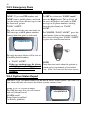
Valid characters are 0-9 a-Z. If a confirmation is received you will receive a SMS
stating your new pin number. An example is shown above.