1
quick start guide
Contents
Contents
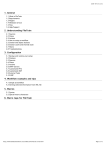
Contents........................................................................................................................................................... 2
1 Introduction .................................................................................................................................................. 3
The translation environment ............................................................................................................... 3
Savings .............................................................................................................................................. 4
2 Installation and system requirements ........................................................................................................... 5
Changing the user interface language .................................................................................................. 5
3 The translation process ................................................................................................................................. 6
Projects ............................................................................................................................................. 6
Translating in memoQ ........................................................................................................................ 6
Getting around in memoQ .................................................................................................................. 7
4 Creating and modifying a project .................................................................................................................. 8
Creating a project ............................................................................................................................... 8
Modifying the current project ........................................................................................................... 10
Creating a translation memory .......................................................................................................... 11
Creating term bases ......................................................................................................................... 11
5 Translation and the translation grid ............................................................................................................ 12
Opening a document for translation .................................................................................................. 12
Editing the translation ...................................................................................................................... 12
Confirming segments........................................................................................................................ 13
Joining and splitting segments ........................................................................................................... 13
Using translation results ................................................................................................................... 13
When there is no automatic suggestion: finding information in translation memories and term bases ... 15
Creating your own term base ............................................................................................................ 16
Pre-translation ................................................................................................................................. 17
Filtering and sorting ......................................................................................................................... 17
The status of segments ..................................................................................................................... 18
Using formatting tags ....................................................................................................................... 18
6 Delivering the translation ............................................................................................................................ 20
Delivering the documents in the original format ................................................................................. 20
Delivering the documents in bilingual files ......................................................................................... 21
Delivering translation memories ........................................................................................................ 21
7 Working from a handoff package ................................................................................................................ 22
Creating your project from a handoff package .................................................................................... 22
Delivering your translation ................................................................................................................ 23
8 Working on online projects ......................................................................................................................... 24
Starting your work: checking out the online project ............................................................................ 24
Working on the online project ........................................................................................................... 26
Delivering your work ........................................................................................................................ 27
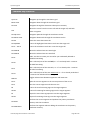
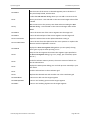
9 Common key shortcuts ................................................................................................................................ 29
This guide covers memoQ 5, translator pro edition. It contains text items from the English user interface of the program. These items are under constant verification and are subject to change without
prior notification.
memoQ integrated translation environment
Page 2 of 30