1
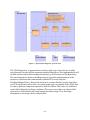
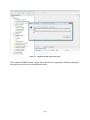
- svn add – Schedule files or directories in the working copy for addition to the repository. Syntax: svn add <path> - svn delete – Delete an item from a working copy or the repository. Syntax: svn delete <target> or svn delete <path> - svn copy – Copy a file or directory in a working copy or in the repository. Syntax: svn copy <source> <destination> , where <source> and <destination> can each be either a working copy path or server URL. After the command is executed the <destination> is a mirror copy of the <source> and moreover the history of changes is also copied. - svn update – Bring the changes from the repository into the working copy. If local modifications are made to the working copy, Subversion will try to merge them with the changes from the server. If it fails a conflict occur. Syntax: svn update <path> - svn commit – Send changes from the working copy to the repository. Syntax: svn commit <path> In order to describe this mapping in a clear way, this paragraph will use the diagram on Figure 9 as an example of a ProSave project. The URL of the component repository is set to http://sample_server/prosave_repo/components. For simplicity, the examples below refer to it as /components. For each of the listed component operations, a sequence of SVN and OS commands is given. Browse available components in the repository List components’ latest version: svn list /components Extract the meta-data from each entry: svn propget Name /components/distanceCalc_4fhd6s svn propget Root /components/distanceCalc_4fhd6s … Obtain the old versions of a pointed component: svn log /components/distanceCalc_4fhd6s Extract the meta-data from each version: … List all subcomponents of a particular component Get a list of names and versions of the root directories of the subcomponents: - 25 -