1
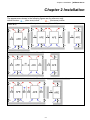
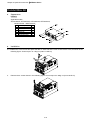
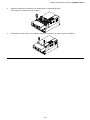
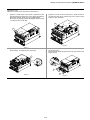
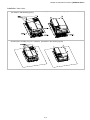
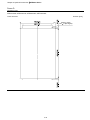
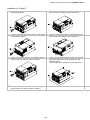
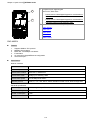
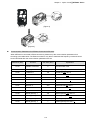
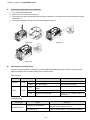
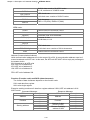
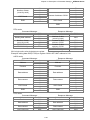
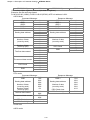
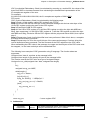
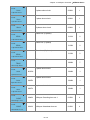
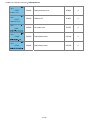
Chapter 6 Optional Accessories|AFE2000 Series Fan Kit Frames Frame B Frame B Frame B Applicable mode: AFE075A43A ; AFE075A23A; Applicable mode: AFE150A43A; Fan Model『MKC-BFKM1』 Frame C Fan Model 『MKC-BFKM2』 Applicable mode: AFE075A23A; AFE075A43A; AFE150A43A; Fan Model 『MKC-BFKB』 Frame D Applicable mode: AFE150A23A; AFE220A23A; Applicable mode: AFE370A23A; AFE370A43A; AFE450A43A; AFE750A43A; AFE220A43A; Fan Model 『MKC-CFKB1』 Fan Model 『MKC-DFKM』 Fan Model 『MKC-DFKB』 Fan Removal Frame B Applicable mode: AFE075A43A;AFE075A23A; AFE150A43A 1. Press the tab on both side of the fan to successfully remove 2. Disconnect the power terminal before removing the fan. the fan. Frame B&C Applicable model AFE075A23A; AFE075A43A; AFE150A43A; AFE150A23A; AFE220A23A; AFE220A43A Disconnect the power terminal and use a slotted screwdriver to remove the fan cover. 6-32