1
temperature of the nozzle reaches 220 degrees, click the M key on the keypad, the nozzle
should start extruding material, if not, keep clicking the M key until it does.
6.3 Withdraw Filament with LCD Screen
Notes of withdrawing filament !!!
1. If you just finish your printing or feed in the filament and want to withdrawing the filament, at
this moment, the extruder is still over 200 degrees, firstly pull the filament in a little, then directly
pull it out.
2. If you want to change another color filament, please firstly do as following shows:
1) Turn on the power switch, you will see the LCD panel shows:
Build from SD
▶Preheat
Utilities
2) Using the directional arrows to the right of the screen click the page down key to scroll to the
next page, and select Preheat,Click M key in the middle,then you will see:
▶Start Preheat
Right Tool
OFF
Left Tool
OFF
Platform
OFF
3) Click page down key to select Left Tool (or Right Tool), Click M key , you will see:
▶Start Preheat
Right Tool
Left Tool
Platform
ON
ON
OFF
4) Click page up key back to Start Preheat,and click M key, you will see:
Heating:
R Extruder: 033/230C
L Extruder: 033/230C
Platform: 024
This means the left extruder is heating up, when it reach 220℃, firstly push in the filaments a little
bit when seeing filament comes out from nozzle, then pull it out. Till this step you have get rid of
the filament successfully.
6.4 Feed in Filament with Replicator G Control Panel
The following can only be performed while the printer is connected to the computer.
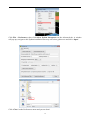
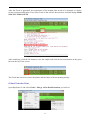
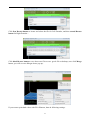
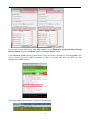
Open the Replicator G software, click the icon in the red box, this is the control panel icon. The
dialogue box shown below will then pop up.
19