1
INTRODUCTION
Congratulations on your purchase of the Radial BigShot MIX. Radial products
are easy to use and this short manual contains all the information you need to
start using your BigShot MIX right away. For more information on the BigShot
MIX and other Radial products, visit our website, www.radialeng.com.
The BigShot MIX is an active class-A effects loop that allows you to blend
the natural sound of an instrument with effect pedals. A standard effects loop,
like the BigShot EFX, switches between true bypass and it’s effects loop. The
BigShot MIX also switches between true bypass and it’s effect loop, except
the loop works more like an auxiliary send on a mixing console. Just like an
audio engineer in the studio mixes a vocal track with reverb, the BigShot MIX
allows you to mix in the effect pedals while the natural tone of your instrument
goes direct through to your amp. This is a big advantage with instruments that
rely on their natural tone like acoustic and bass guitars. For all instruments the
BigShot MIX is a unique way to create new tones. Like all Radial pedals the
MIX is made road and stage tough with 14-gauge steel construction, a doublesided PC board and a heavy-duty footswitch.
CONNECTING THE BIGSHOT MIX
Before connecting the BigShot MIX, make sure your amplifier is turned off and
all volume levels are set to zero. This will avoid any loud pops that could cause
speaker damage. To start, set the LEVEL control at 12 o’clock (or halfway).
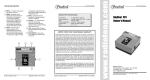
Connect your guitar to the INPUT jack of the BigShot MIX. Connect the
OUTPUT jack to your amplifier. Connect an effect pedal to the SEND and
RECEIVE jack on the BigShot MIX. You can use as many pedals as you like in
the loop, but for initial testing one pedal will cut down on possible connection
errors. The BigShot MIX is powered by a standard 9V adaptor with a negative
center conductor. The MIX will be active the moment a 9VDC power supply
is connected. Leaving the PB1 on for long periods of time will not cause
damage.
Confirm that the LED is off (bypassed) before continuing. Turn on your amp and
slowly turn up the volume to a low level to test. At this point you should hear
your direct guitar sound. Depress the LOOP footswitch and confirm the LED is
on and any effect pedal in the loop is also active. If all is working correctly, the
sound should be a mixture of your direct guitar sound and the effect pedal.
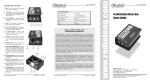
Output
Return
Radial Engineering Ltd.
Input
Note: Set pedal for 100% effect.
Send
BigShot MIX User Guide
USING THE BIGSHOT MIX FEATURES
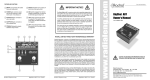
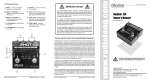
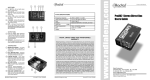
To assist in your understanding the BigShot MIX, follow the block diagram
from left to right as each function is described.
POLARITY REVERSE
Some effect pedals reverse the polarity of the signal passing through them.
When a pedal with a reversed output is used with the BigShot MIX phase
cancellation can occur. Phase cancellation causes comb filtering and produces
a weak, hollow tone with a drop in volume.
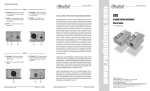
These two diagrams show what happens to your signal with respect to polarity
when an effect pedal that inverts the polarity is used in the BigShot Mix.
Fig.1
BUFFER
The class-A buffer preserves the natural tone of your instrument by presenting
a high impedance input to your guitar. Radial class-A buffers are 100%
discreet (no IC chips) and sound great. The buffer allows the signal to be split
and drives effects pedals connected to the BigShot’s effect loop.
F/X LOOP
The SEND and RETURN jacks use standard 1⁄4” guitar cables. The SEND
jack connects to the effect pedal input and the RETURN jack connects to
the pedal’s output. Pay close attention when connecting these jacks as most
errors are made here.
LEVEL
The LEVEL control sets the amount of signal that is returned from the effect
pedal. The control is recessed to prevent accidental movement. A guitar pick
can be used like a screw driver to turn the recessed knob. When the control
is set at minimum position (full counter-clockwise) the BigShot MIX will output
100% direct sound. As the control is turned clockwise the effect pedal sound
is mixed with the direct sound. When set at maximum (full clockwise) the
BigShot MIX will output a 50%-50% mix of direct and effect signals. Adjust the
LEVEL control to find the ratio of direct to effect that sounds best to you. The
LEVEL control works best when the effect pedal your using to maximum effect
or 100% wet signal.
ACTIVE MIX SECTION
This circuit mixes the direct signal with the signal returning from the BigShot’s
effects loop. The class-A active mix section works in the same way a mixing
console does to combine two signals ensuring that nothing is lost and the
full-range natural sound of both signals is maintained. The active circuit also
has the benefit of preventing the next device in the chain from affecting the
performance of the BigShot MIX.
LOOP FOOTSWITCH
A heavy-duty true bypass footswitch allows you to remove the BigShot MIX
from the signal path for a direct connection to your amp. The LED status
indicator will be off when the BigShot MIX is bypassed.
Radial Engineering Ltd.
BigShot MIX User Guide
+
Direct Path
GUITAR
Phase
Cancellation
Positive Polarity
+
-
BUFFER
MIXER
Loop Path
EFX
PEDAL
+
+
-
-
+
-
Negative Polarity
In Fig.1 the guitar signal is connected to the BigShot MIX. The signal is buffered
and split into two paths; the direct path and the effect loop path. A pedal In the
effects loop inverts the signal 180° from the direct path. When these two paths
are combined in the mixer section they cancel each other out causing comb
filtering.
To solve this issue the BigShot MIX is equipped with a polarity reverse switch
that can compensate for a pedal that inverts its output. When the BigShot
MIX is active (LED on) try the POLARITY switch in both positions and use the
setting that produces the fullest sound. If the fullest sound is achieved with the
switch set to 180° then an effect pedal is most likely inverting the signal.
Positive Polarity
Fig.2
+
-
Positive Polarity
GUITAR
+
-
BUFFER
MIXER
+
-
Polarity
Reverse
EFX
PEDAL
+
-
+
Positive Polarity
Figure 2 shows the same setup except the polarity reverse switch is shown
inverting the signal before the effect pedal. By feeding the pedal a signal that
has been reversed we trick its output to be in phase with the direct signal
path.
Radial Engineering Ltd.
BigShot MIX User Guide